You can now connect your Zakrix Express shipping account directly to eGrow and start sending orders without leaving your dashboard. Follow the steps below to activate the integration.
Step-by-Step Integration Guide
1. Log in to your eGrow V2 Account
Open your browser and go to eGrow.
Log in using your credentials.
2. Navigate to Integrations
From the left menu, click Integrations
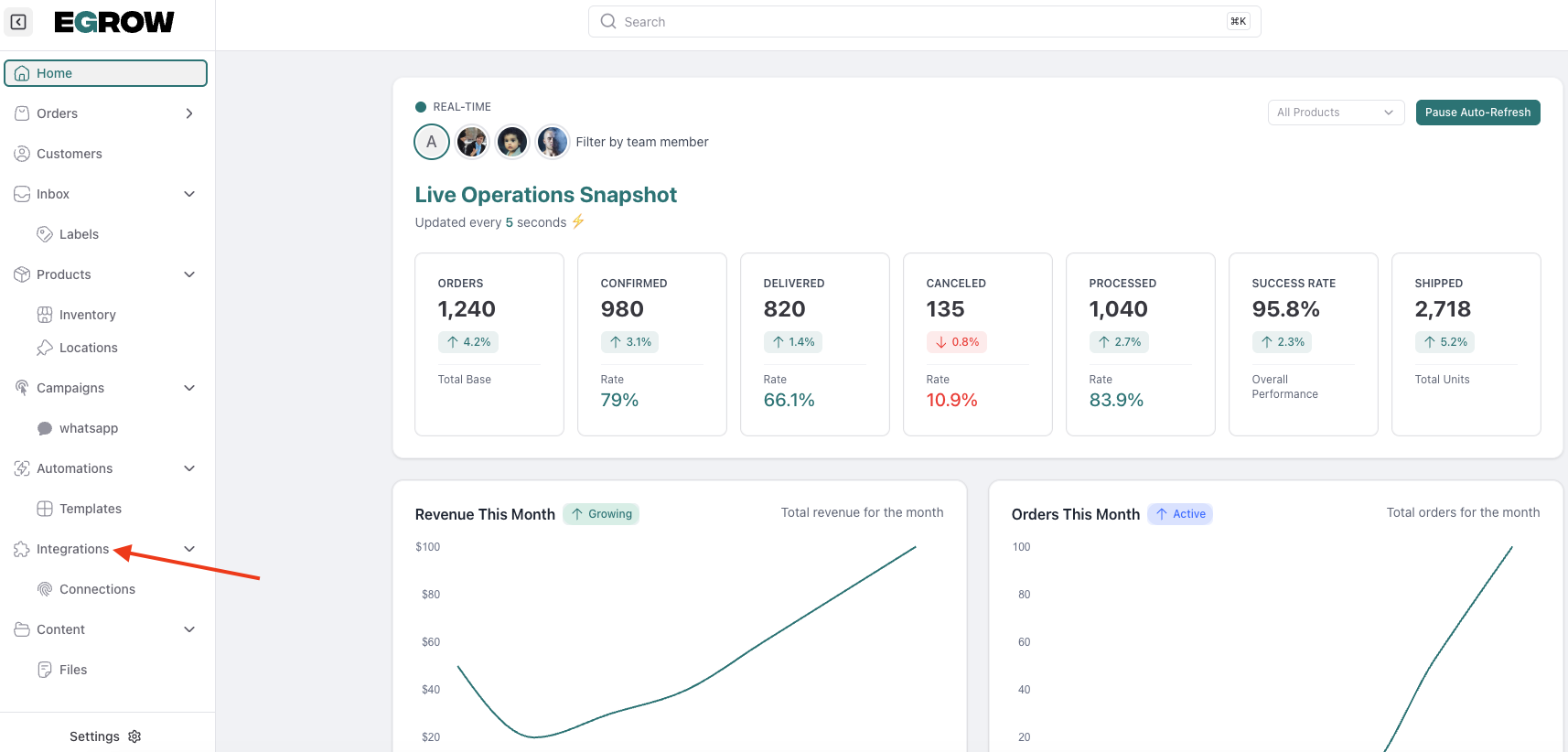
Search for Zakrix Express Integration
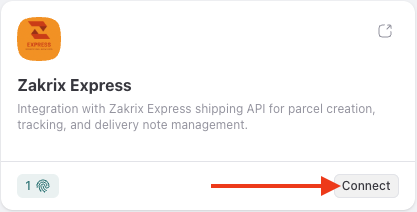
3. Connect Zakrix Express
Click Connect
Click Add Connection
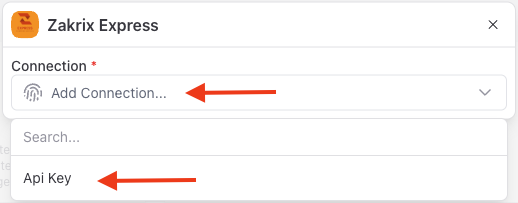
Select API Key as the authentication method
4. Retrieve Your Zakrix API Key
Open a new tab and log in to your Zakrix Express account
Go to API Settings → Documentation API
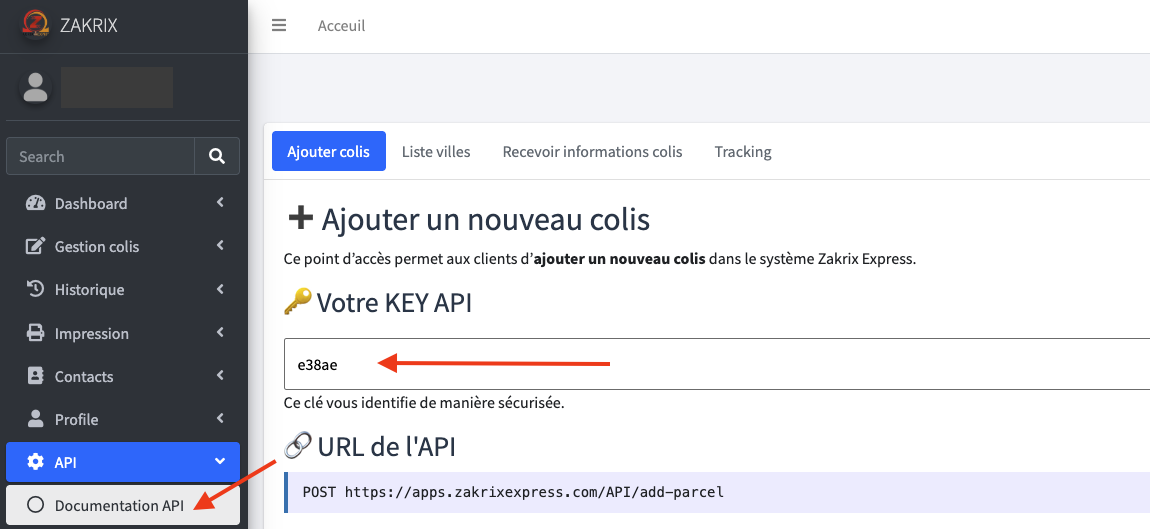
Locate the API Key
Copy the generated key
If no key exists, generate one from the same page.
5. Request Your Zakrix Client ID
Contact Zakrix Express technical support team
Request your Client ID needed for API connection
Copy the Client ID provided by their technical team
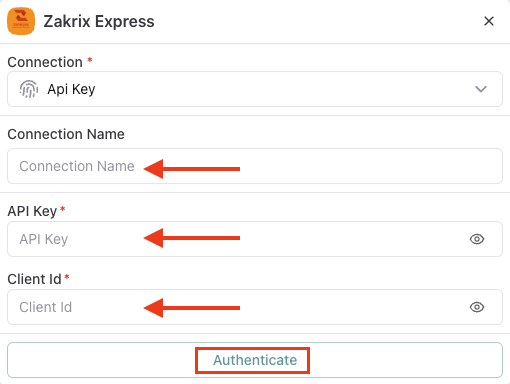
6. Add API Details in eGrow
Return to your eGrow V2 account
Paste your:
API Key
Client ID
Enter a Connection Name
(for example: your company or store name)Click Authenticate
Success Confirmation
Once authentication is complete, a success message will confirm that the Zakrix Express integration has been activated.
You can now:
Send orders directly from eGrow to Zakrix Express
Manage shipping from one dashboard
Automate workflows for faster order fulfillment