Integrating your Ameex shipping account with eGrow allows you to send orders directly to Ameex and manage deliveries from one place. Follow the steps below to connect your Ameex account securely.
Prerequisites
Active eGrow account
Ameex shipping account
Ameex Client API ID and Client API Key
Step-by-Step: Integrate Ameex with eGrow
1. Log in to Your eGrow Account
Open your browser and log in to your eGrow dashboard
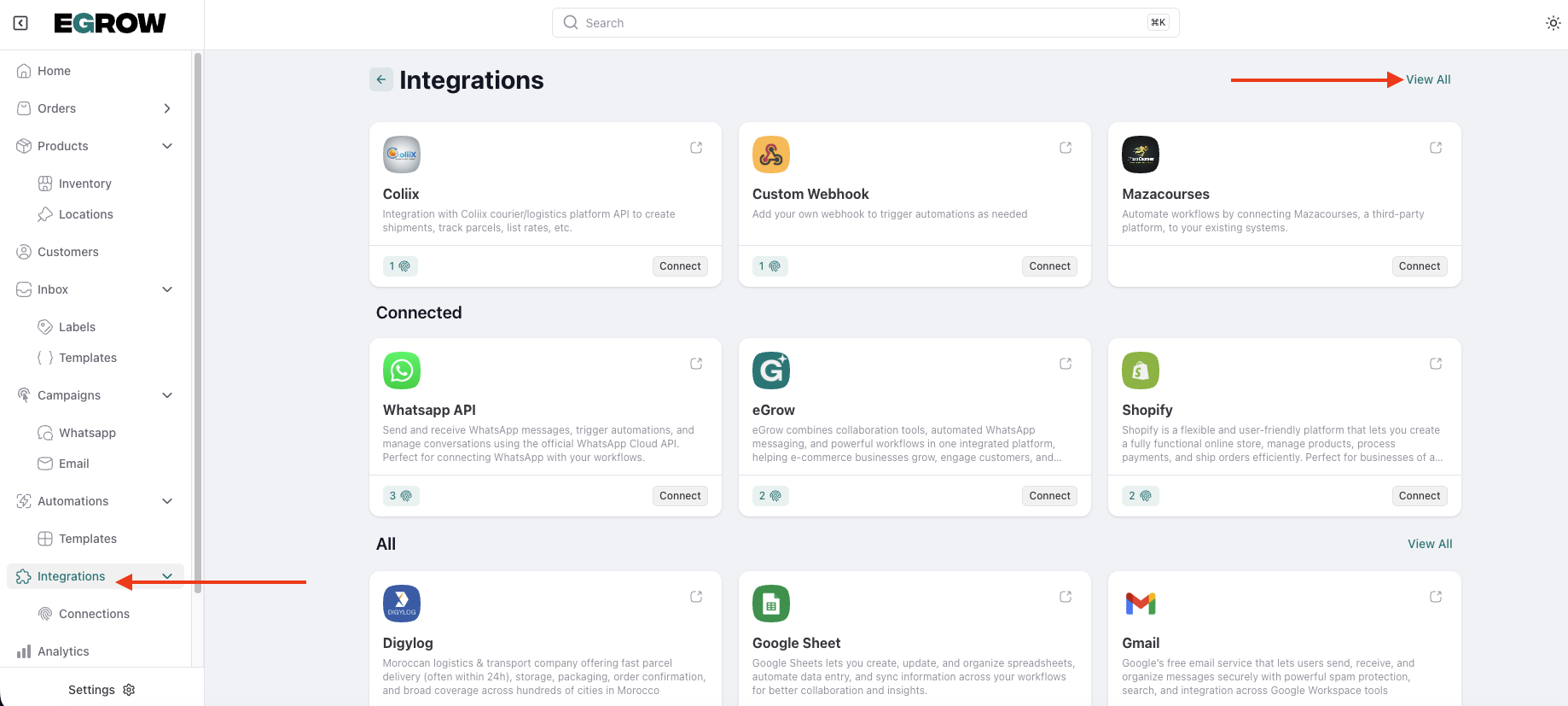
2. Navigate to Integrations
From the main menu, go to Integrations
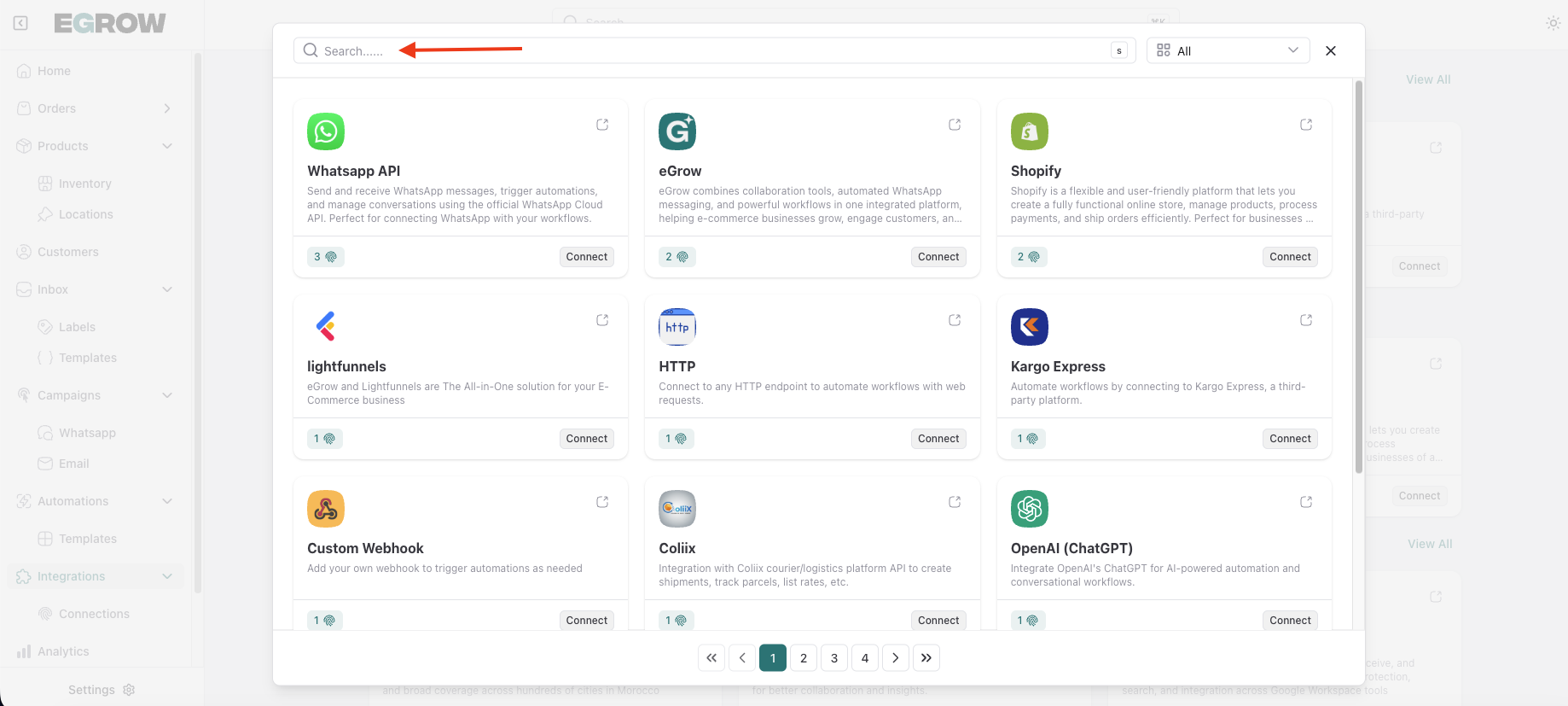
Locate Ameex
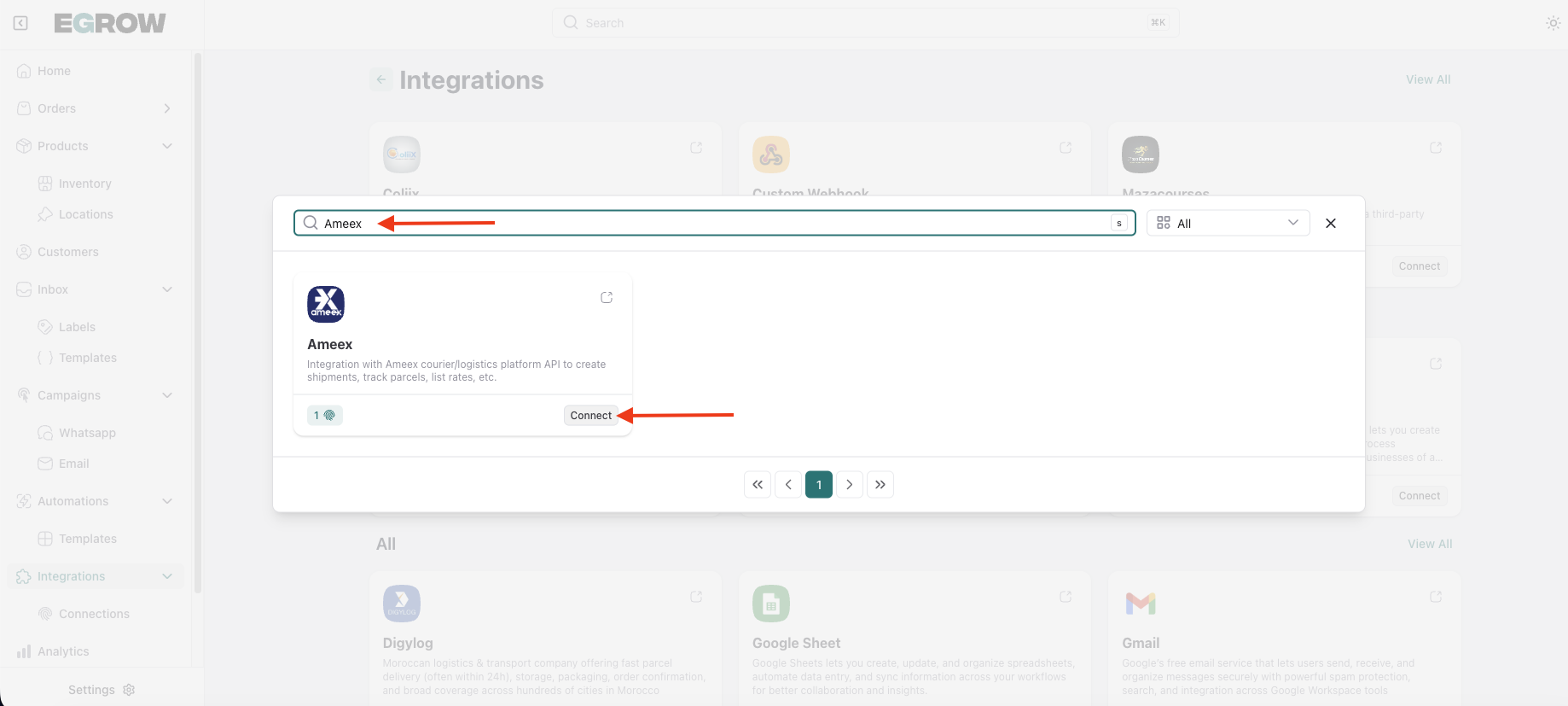
Click Connect
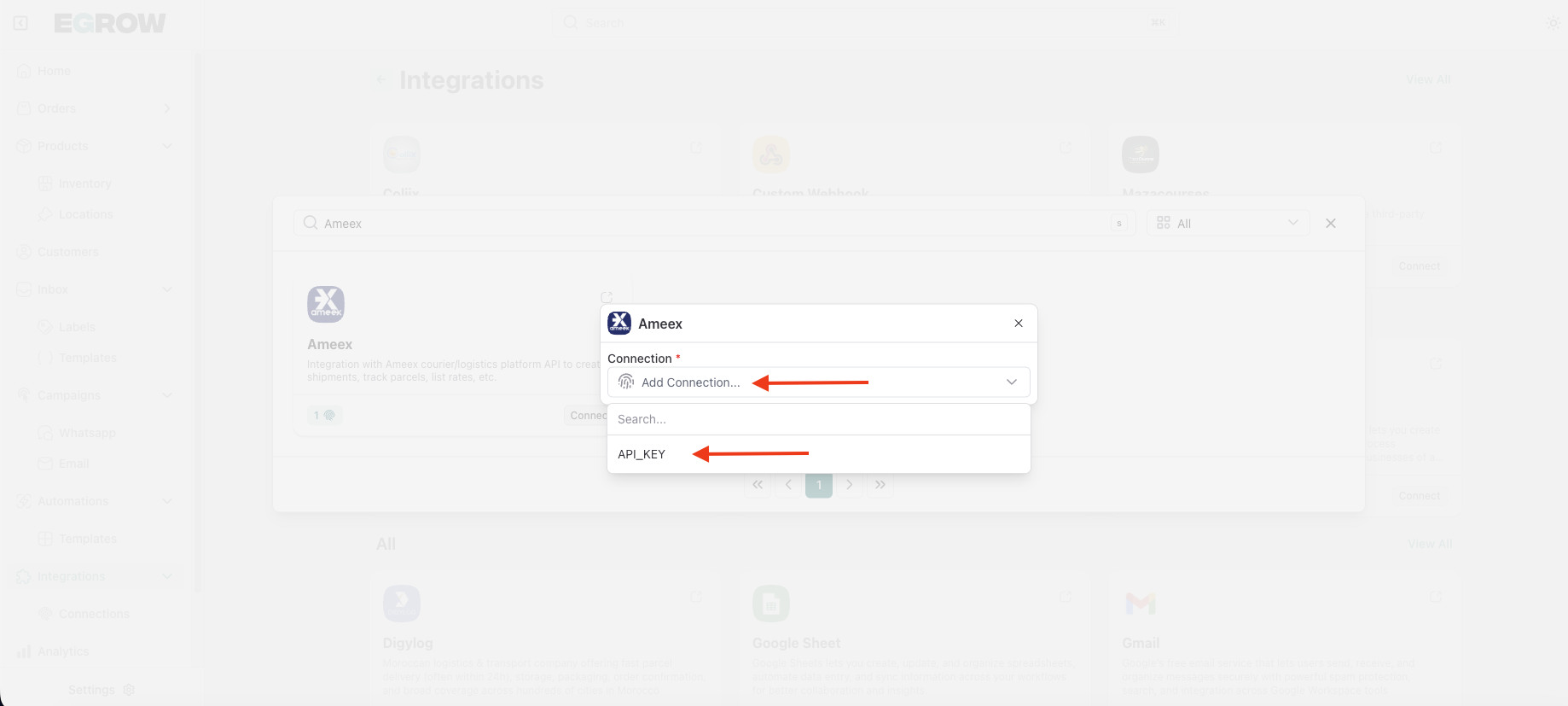
Click Add Connection
3. Get Your Ameex API Credentials
Before filling in the integration form, you need to retrieve your API details from Ameex.
Log in to your Ameex account
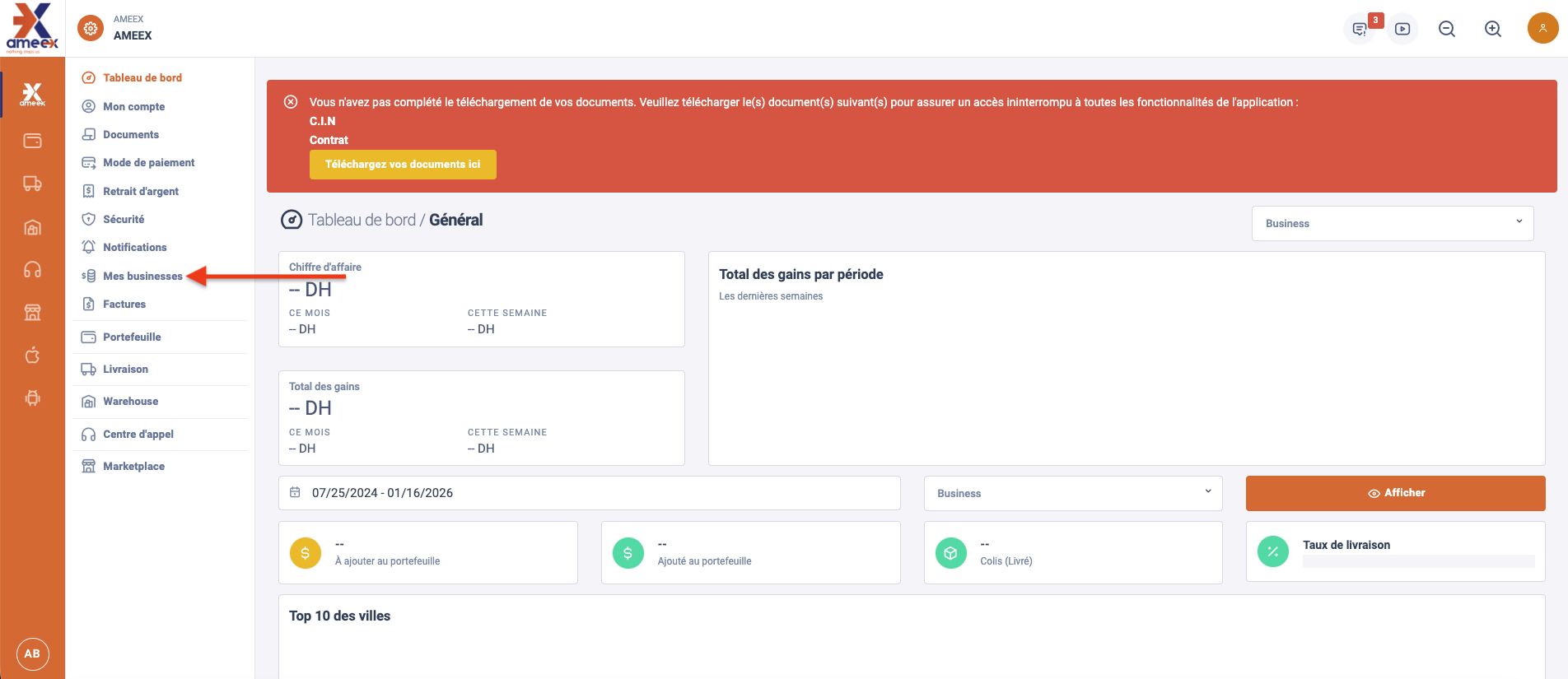
Go to the My Businesses section
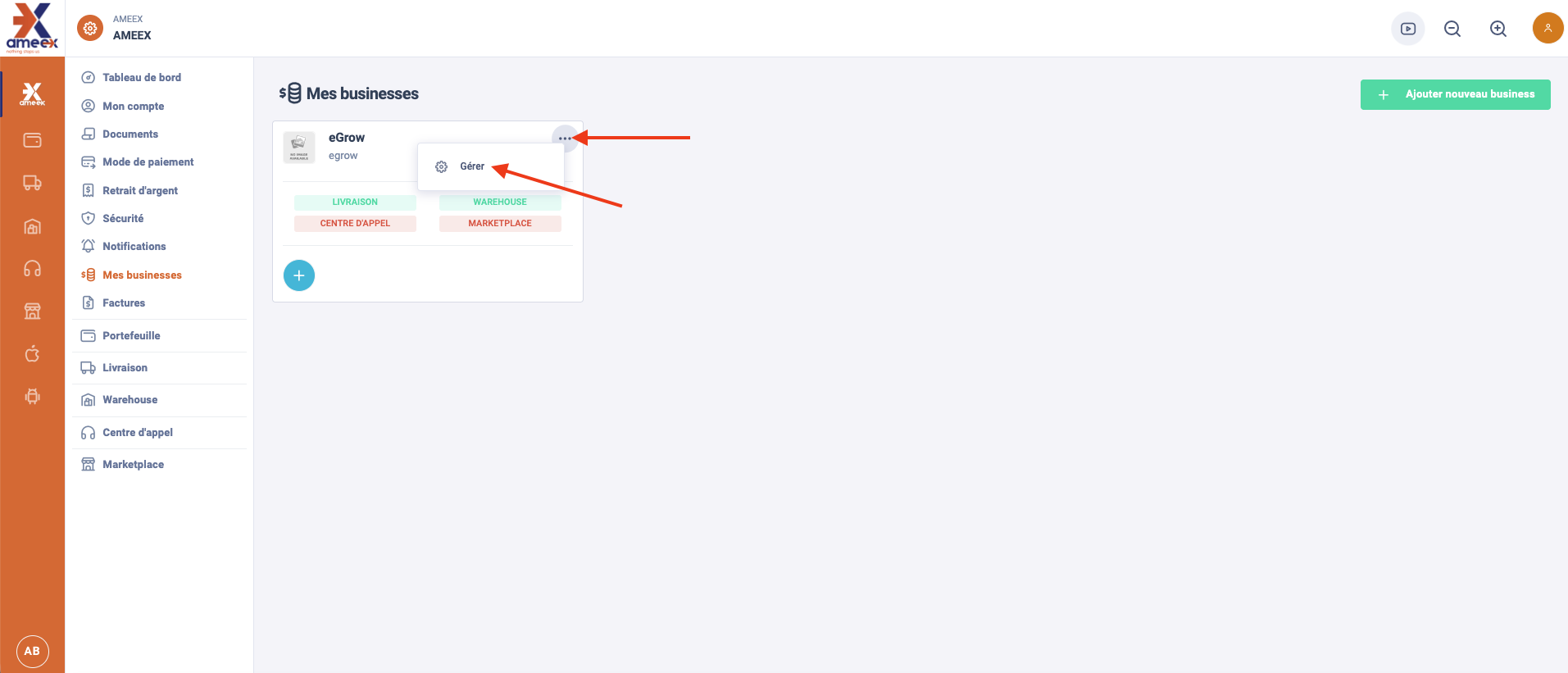
Locate your business account and click Manage
Open the API page
Copy the following credentials:
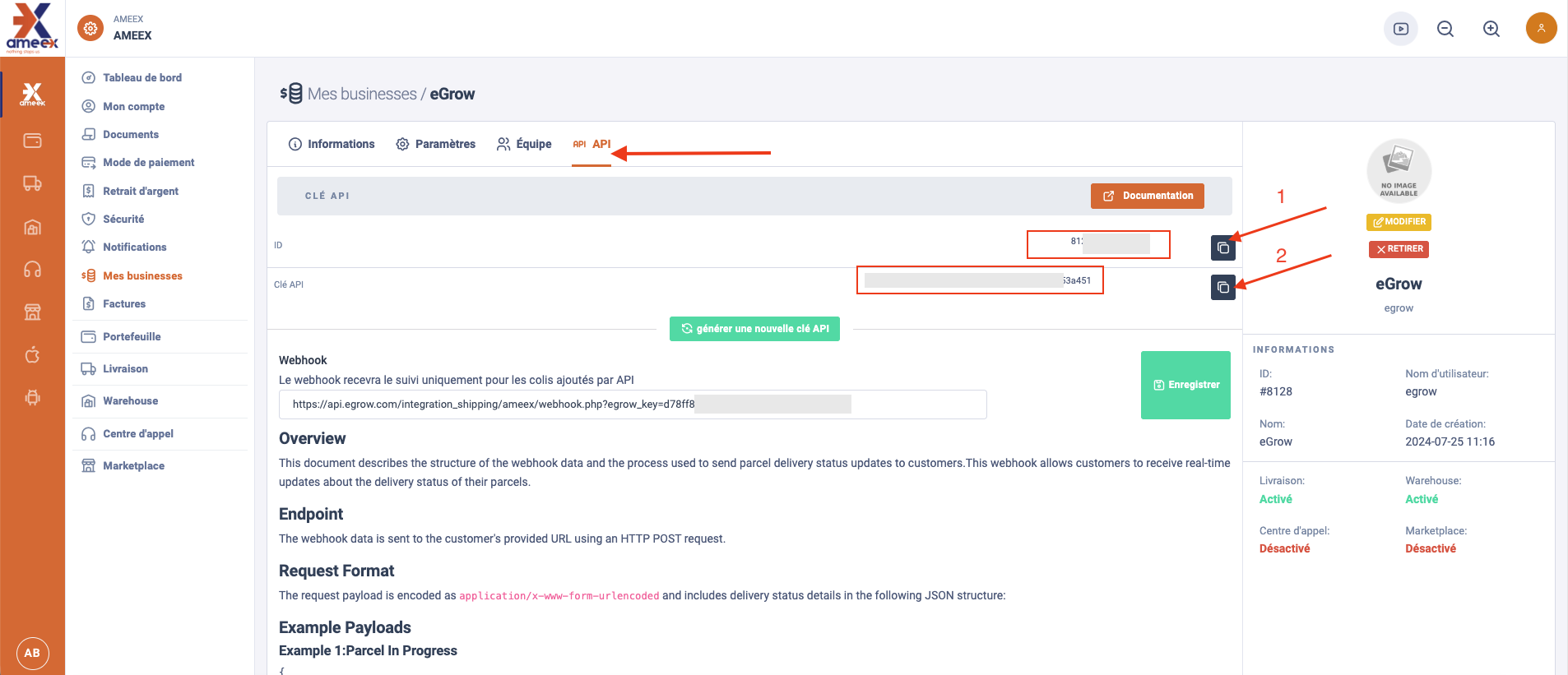
Client ID
Client API Key
Keep this page open or copy the credentials safely.
4. Fill in the Ameex Integration Form
Return to your eGrow dashboard and complete the form: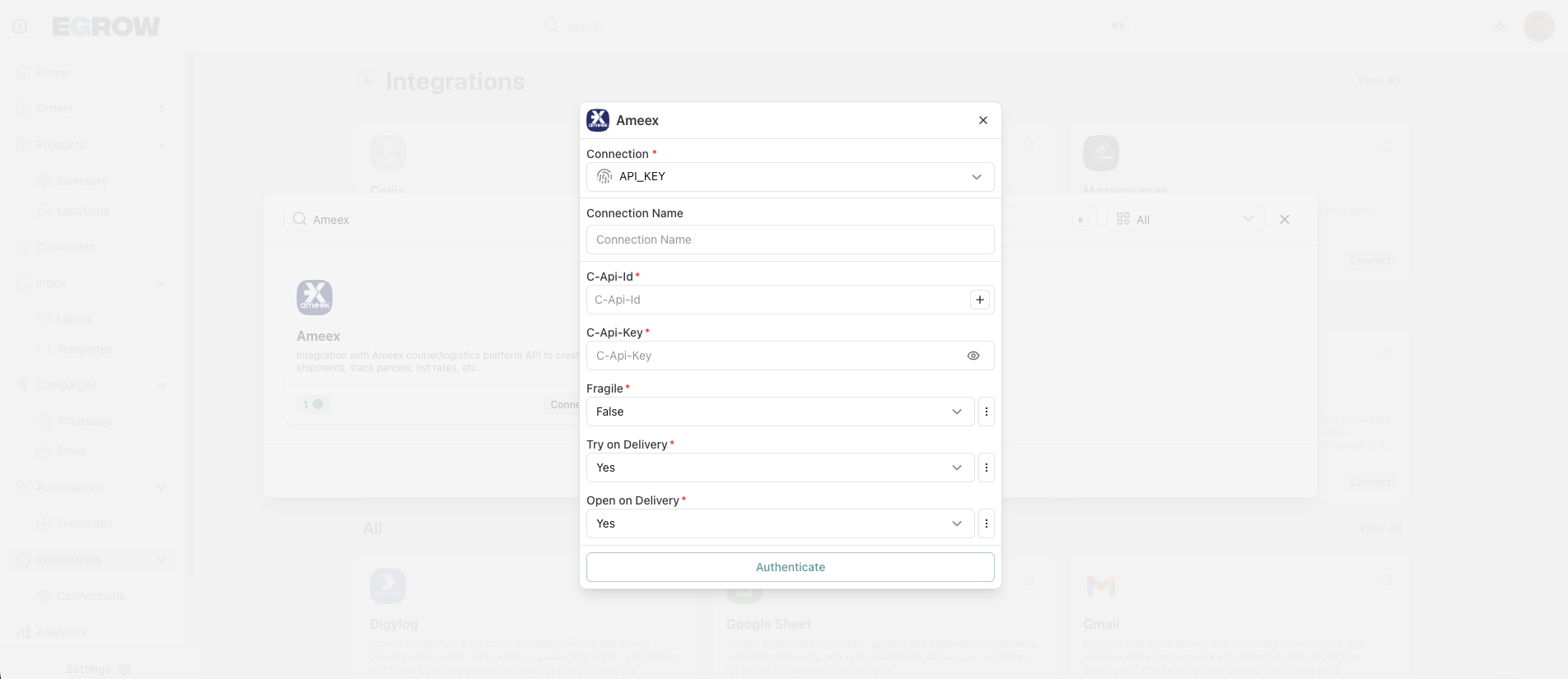
Connection Name
Enter a name to identify this connection
(for example: your company or store name)C-Api-Id (Client API ID)
Paste the Client ID copied from your Ameex accountC-Api-Key (Client API Key)
Paste the Client API Key copied from your Ameex accountFragile
Select True or False depending on your shipment typeTry on Delivery
Choose Yes or NoOpen on Delivery
Choose Yes or No
5. Authenticate the Connection
Review all information
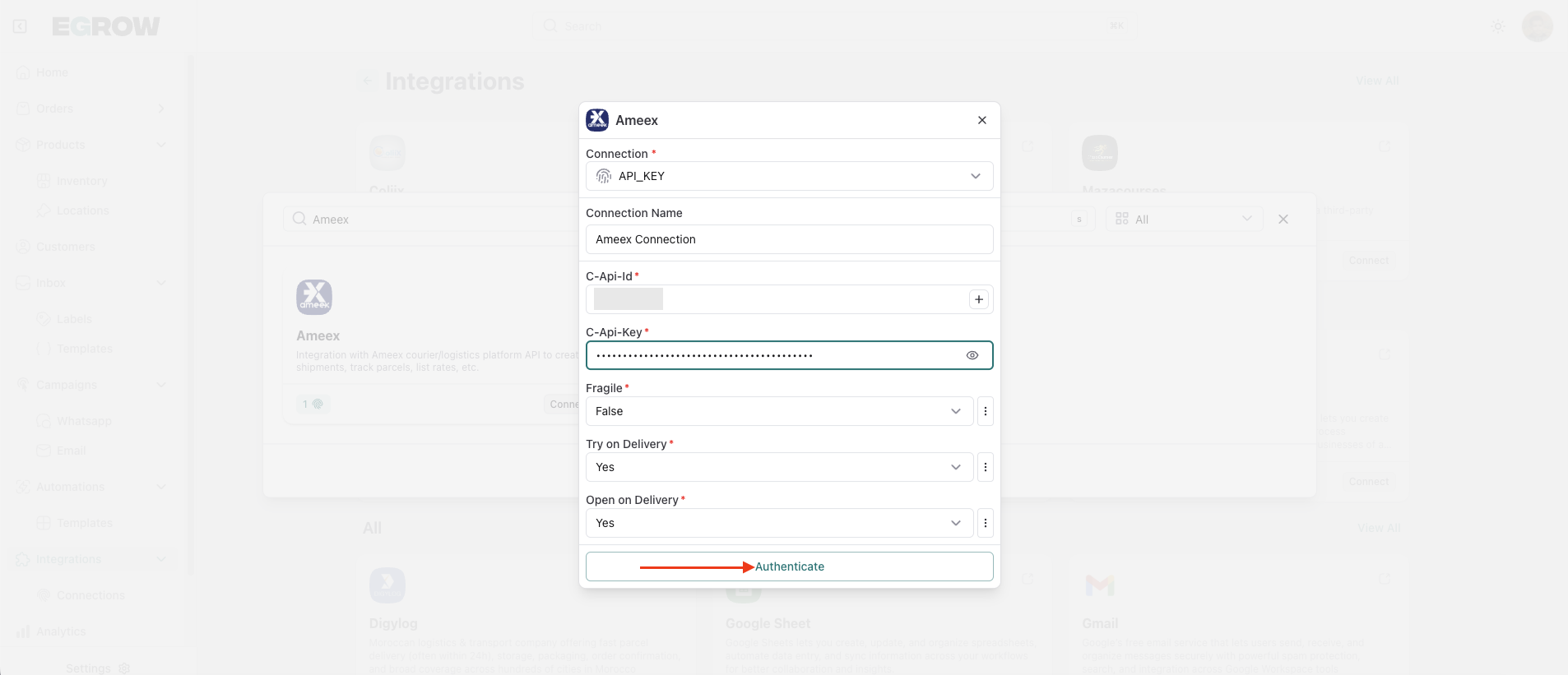
Click Authenticate
Success Confirmation
A success message will appear confirming that your Ameex shipping account has been successfully integrated with eGrow.
You can now:
Send orders directly from eGrow to Ameex
Apply delivery preferences to your shipments
Manage shipping operations efficiently
If you encounter any issues, verify your API credentials or contact Ameex Support or eGrow Support for help.