1 min read

Manage locations

The Locations section allows you to manage and organize all your business locations from a single place. You can set a default location, add new stock or fulfillment locations, and control which locations are active for online orders. This helps ensure accurate inventory tracking, smoother order fulfillment, and better operational management across multiple warehouses or stores.

add a location

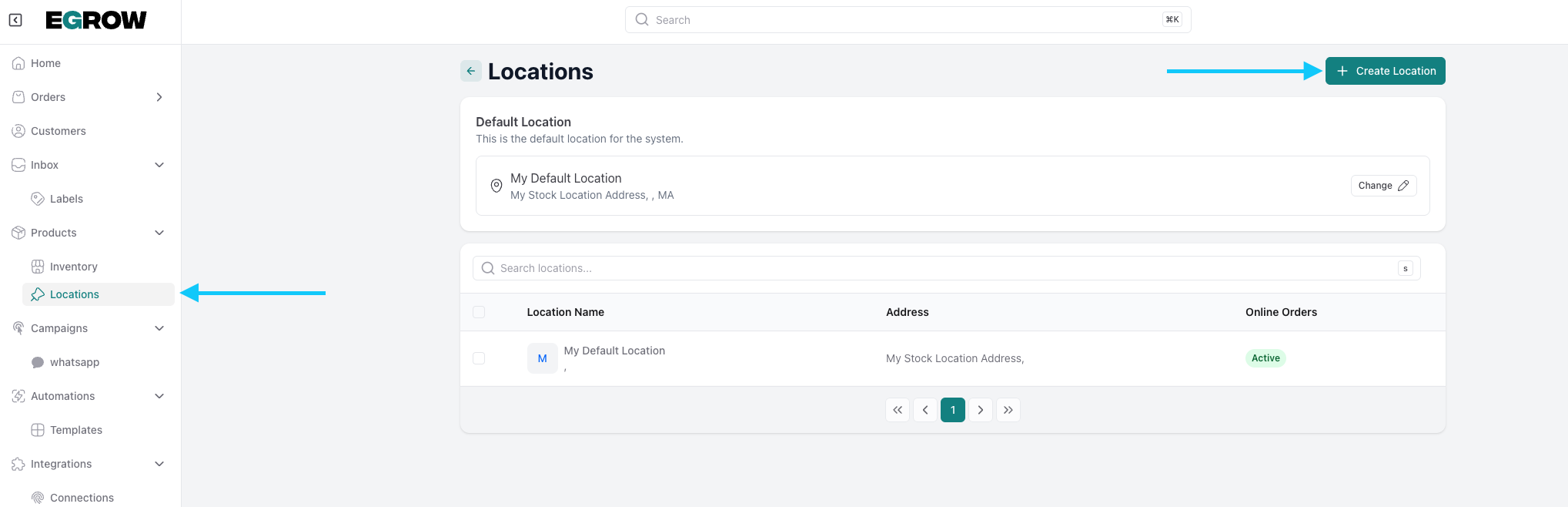
 from the home page go to locations then create a location
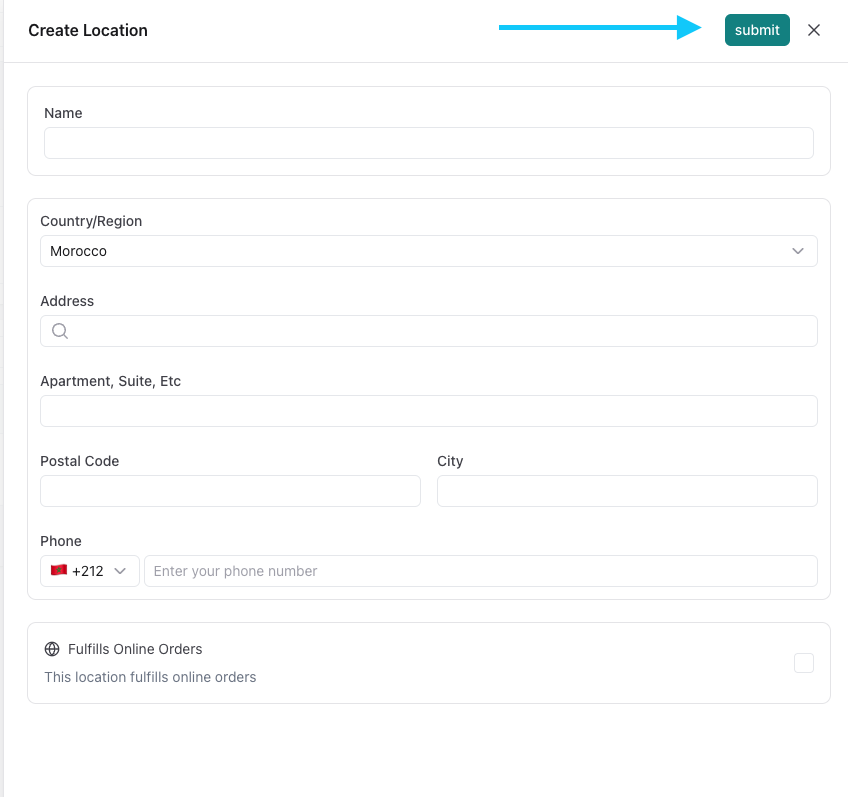
fill the blanks with the proper informations and submit when done.
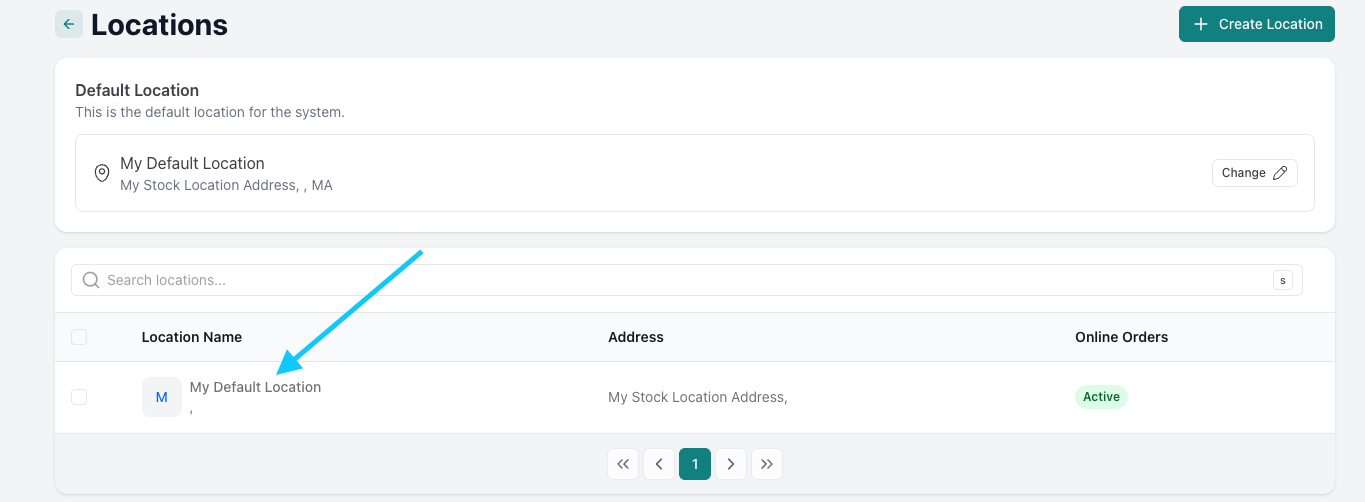
Edit the locations

click on the location you want to edit
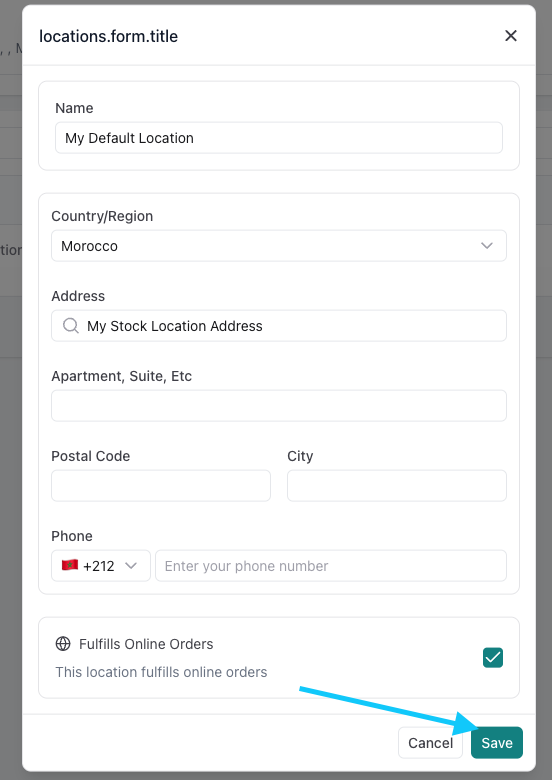
edit the existing informations
Delete a location

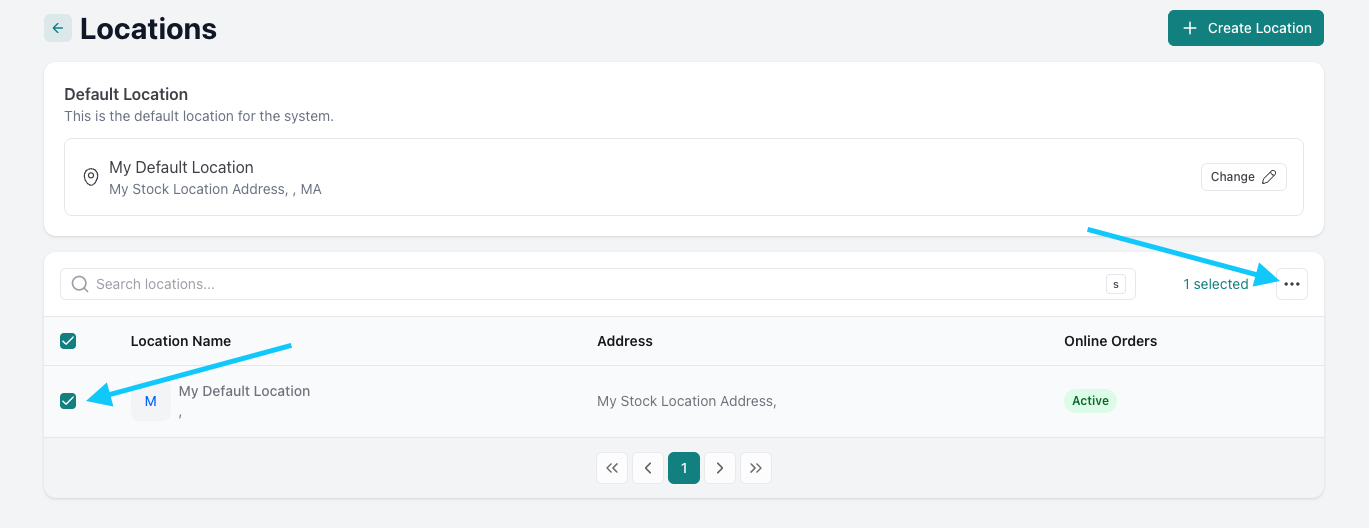
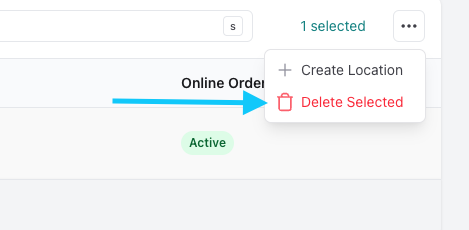
to delete a location check the box on the left then click on the three dots and click delete selected as shown below.
Was this article helpful?

Related Articles

Can't find what you're looking for?

Our support team is here to help. Submit a ticket and we'll get back to you as soon as possible.

Contact Support
Need Help?