1 min read

Manage costumers

The Customers section gives you a complete overview of your customer database in one place. Easily view, search, import, and manage customers while tracking key insights such as total customers, active customers, new customers this month, total orders, and total spending. This section helps you better understand customer behavior, improve relationships, and make data-driven decisions to grow your business efficiently.

Manage costumers

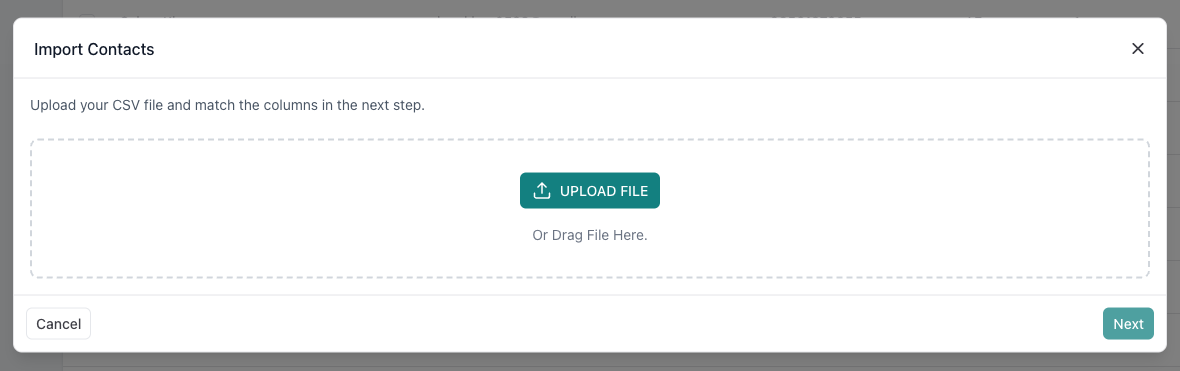
from the home page go to costumers then import or create new costumers 

import a file with a valid format
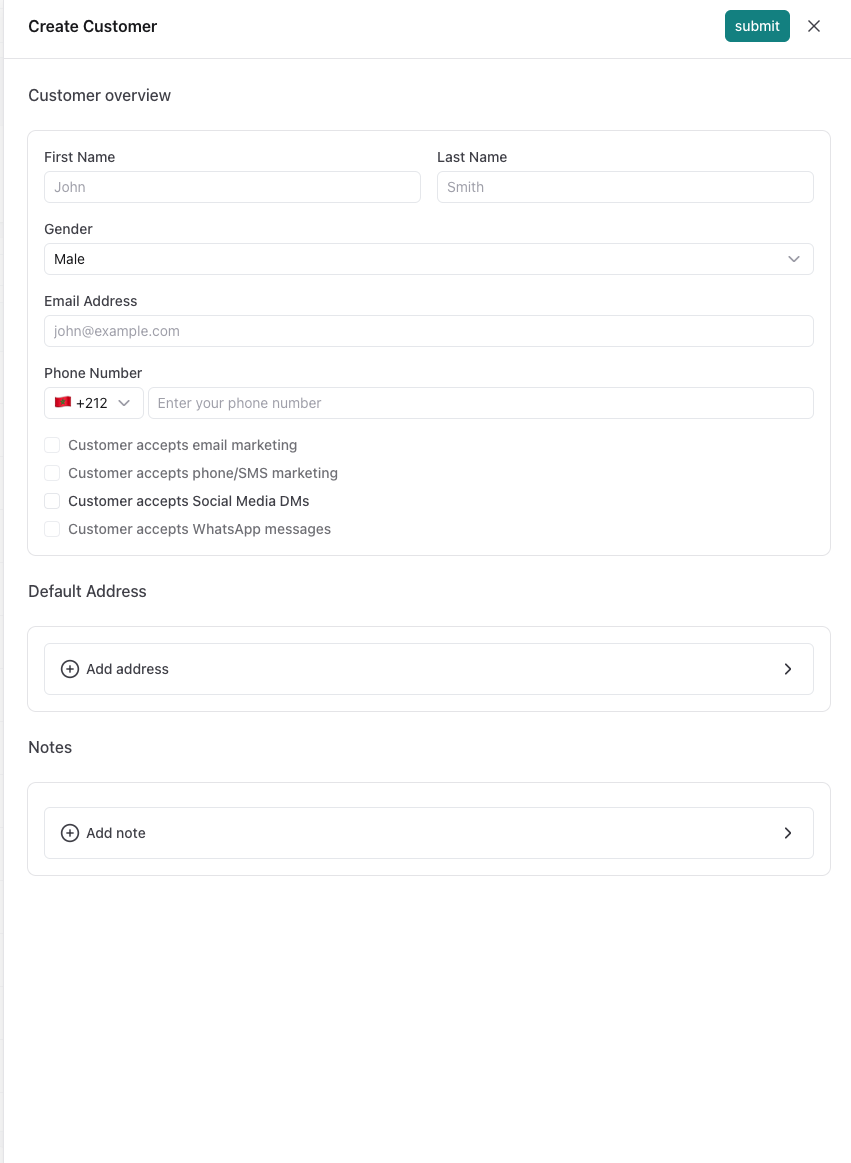
add costumers manually by filling the blanks with the correct informations then press submit when done.
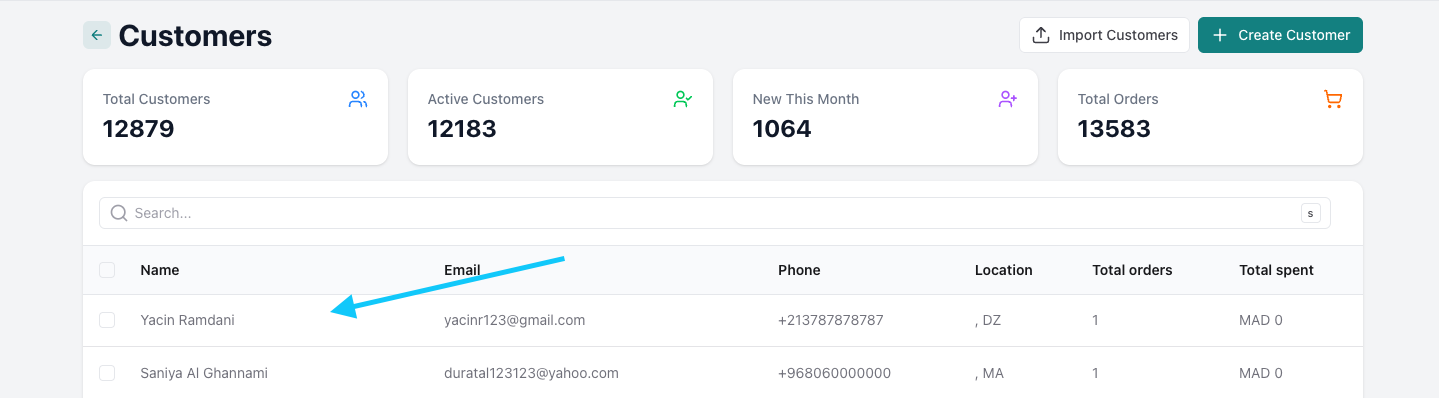
Edit costumers

click on the client you want to edit
from here you can manage orders, activity timeline and add comments 
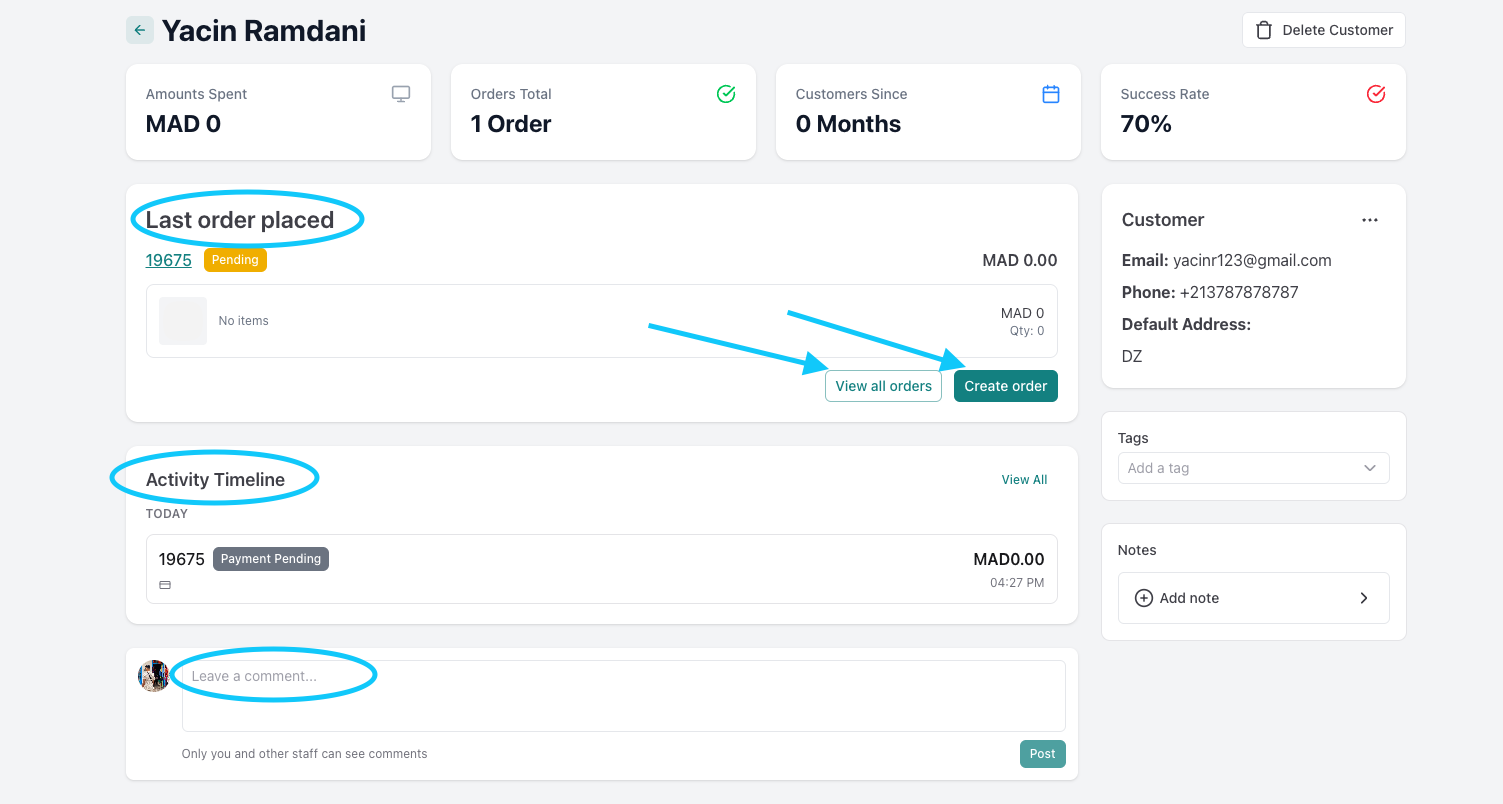
and you can also delete the costumer by clicking delete costumer 
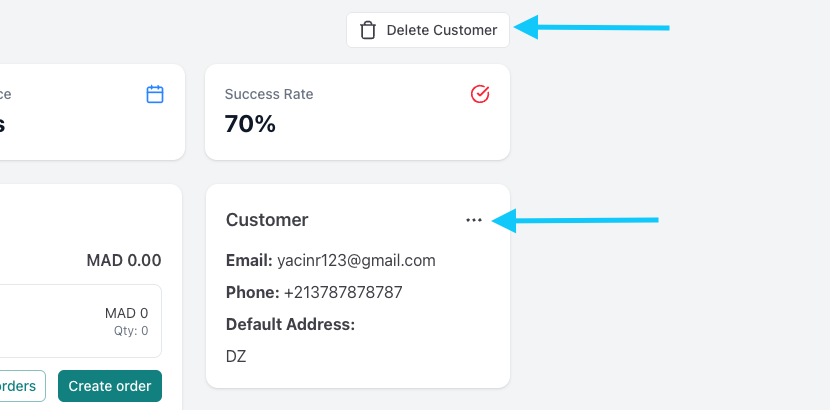
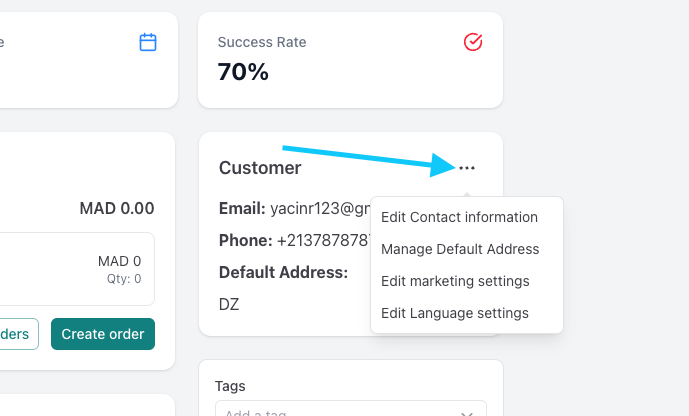
or click the three dots to edit the costumer's contact informations, default address, marketing settings and language
Was this article helpful?

Related Articles

Can't find what you're looking for?

Our support team is here to help. Submit a ticket and we'll get back to you as soon as possible.

Contact Support
Need Help?