Step-by-Step: Integrate Vitex with eGrow
Step 1: Log in to Your eGrow Account
Open your browser and go to your eGrow dashboard
Sign in using your email and password
Step 2: Navigate to Integrations
From the left sidebar, click Integrations
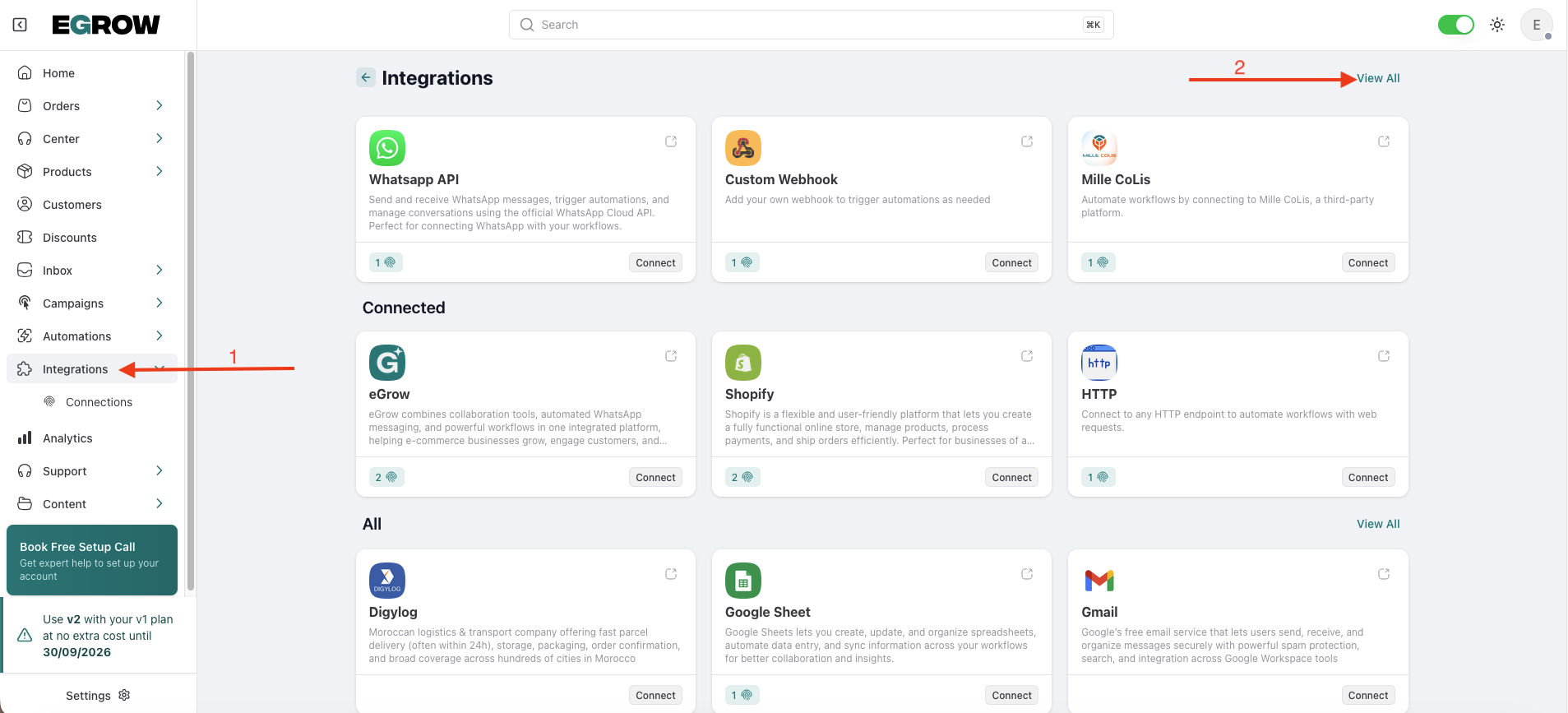
Search for Vitex in the integrations list
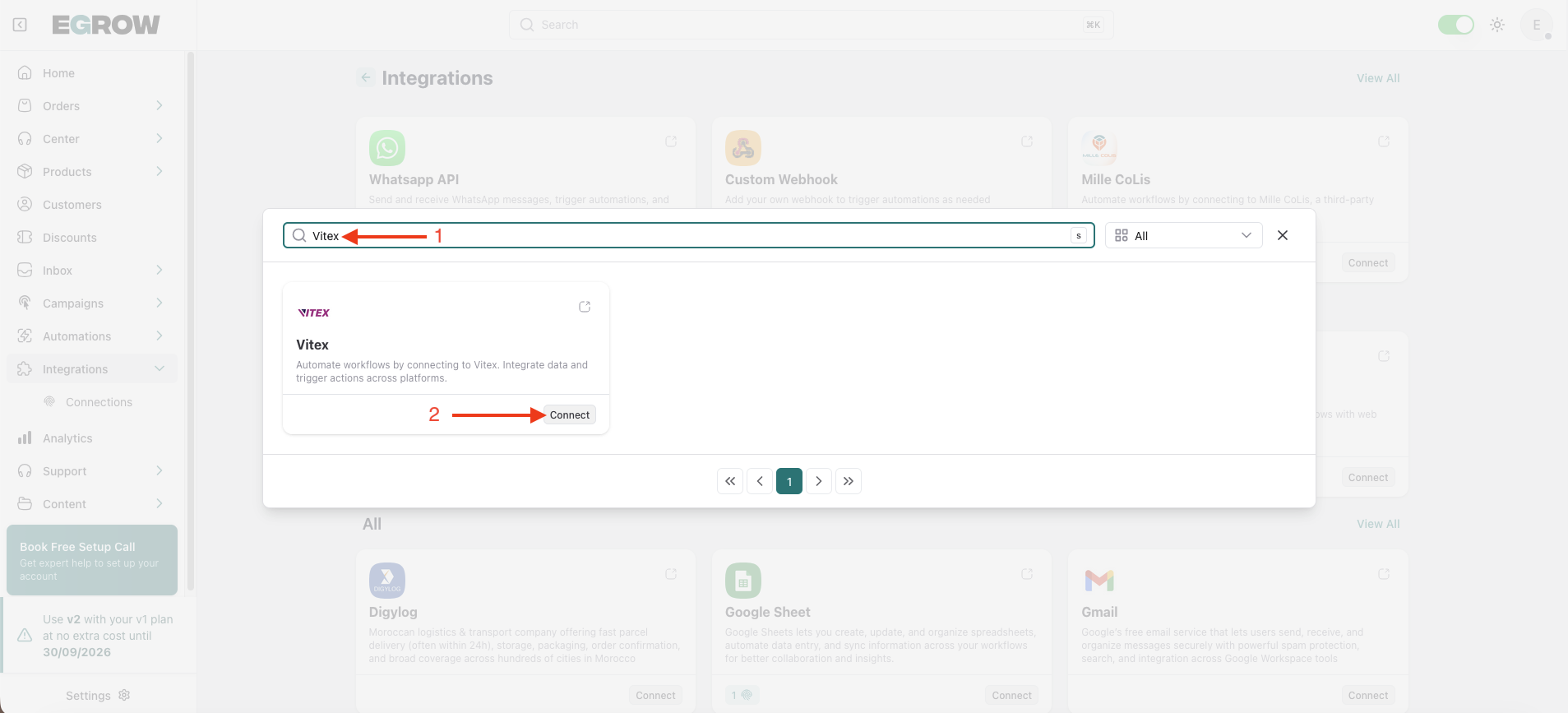
Click Connect
Step 3: Add a New Connection
Click Add Connection
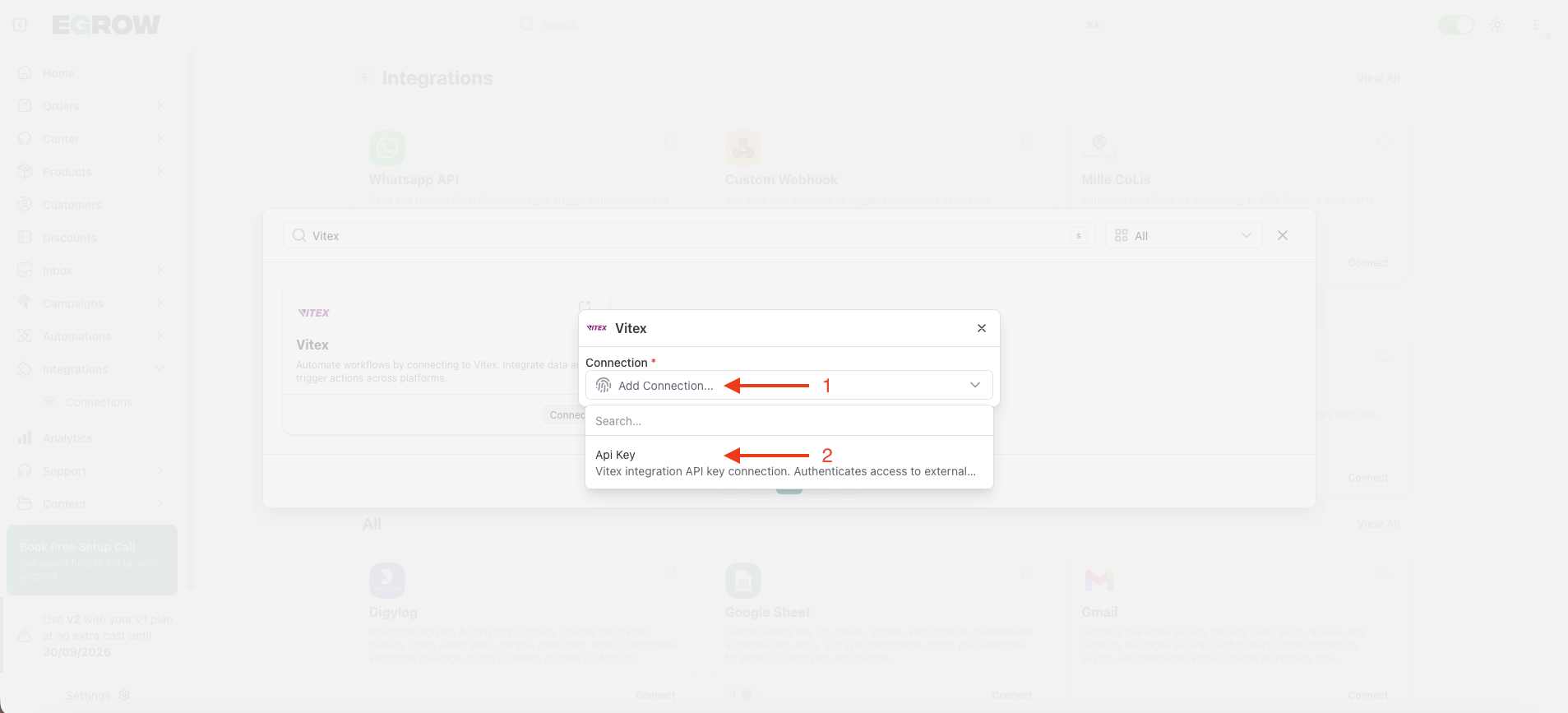
A configuration form will appear
You will need to provide: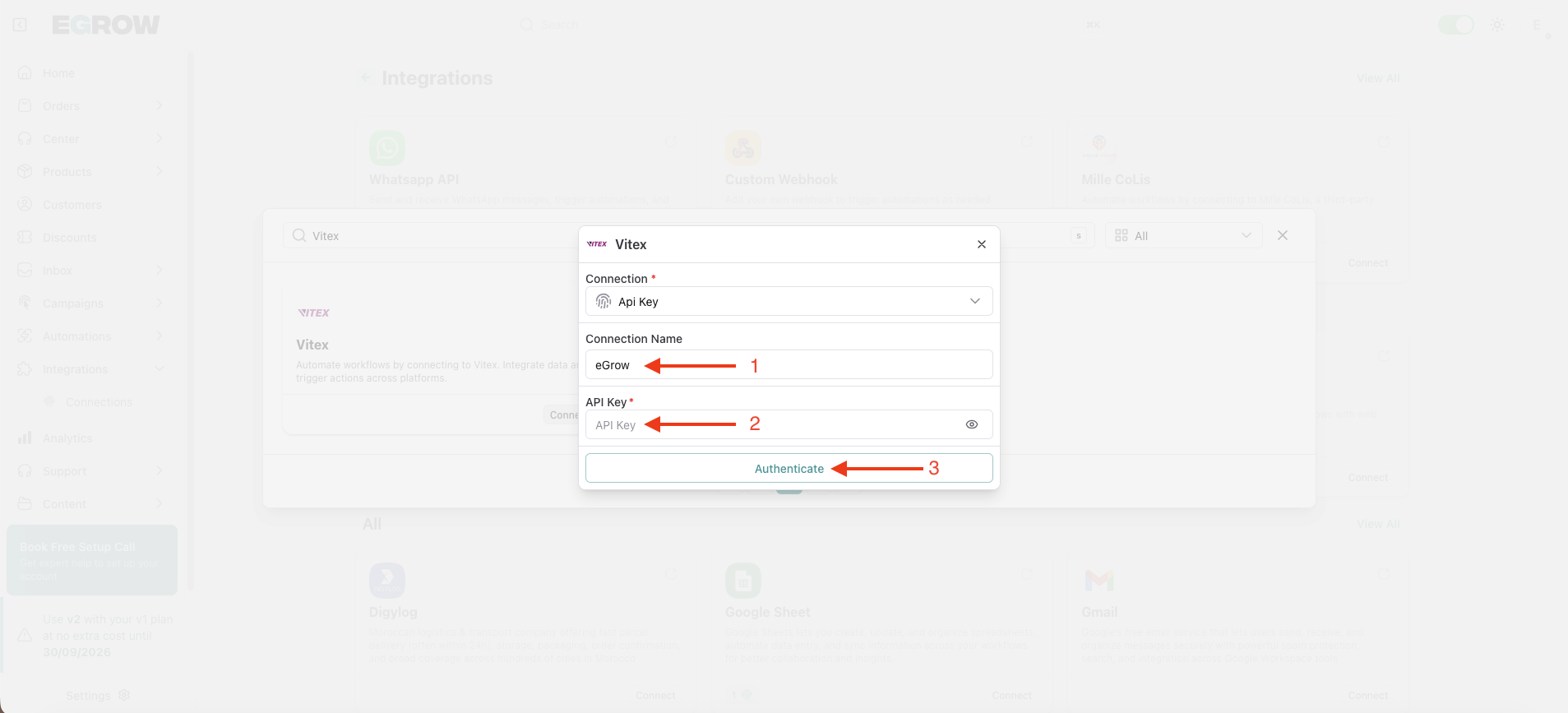
Connection Name
(Example: Vitex – My Company Name)API Key
Keep this page open — you’ll get the API Key from your Vitex account in the next step.
Step 4: Get Your API Key from Vitex
Log in to your Vitex account on their official website
From the left sidebar menu, go to API Documentation
Click the Show API Key button located at the top right
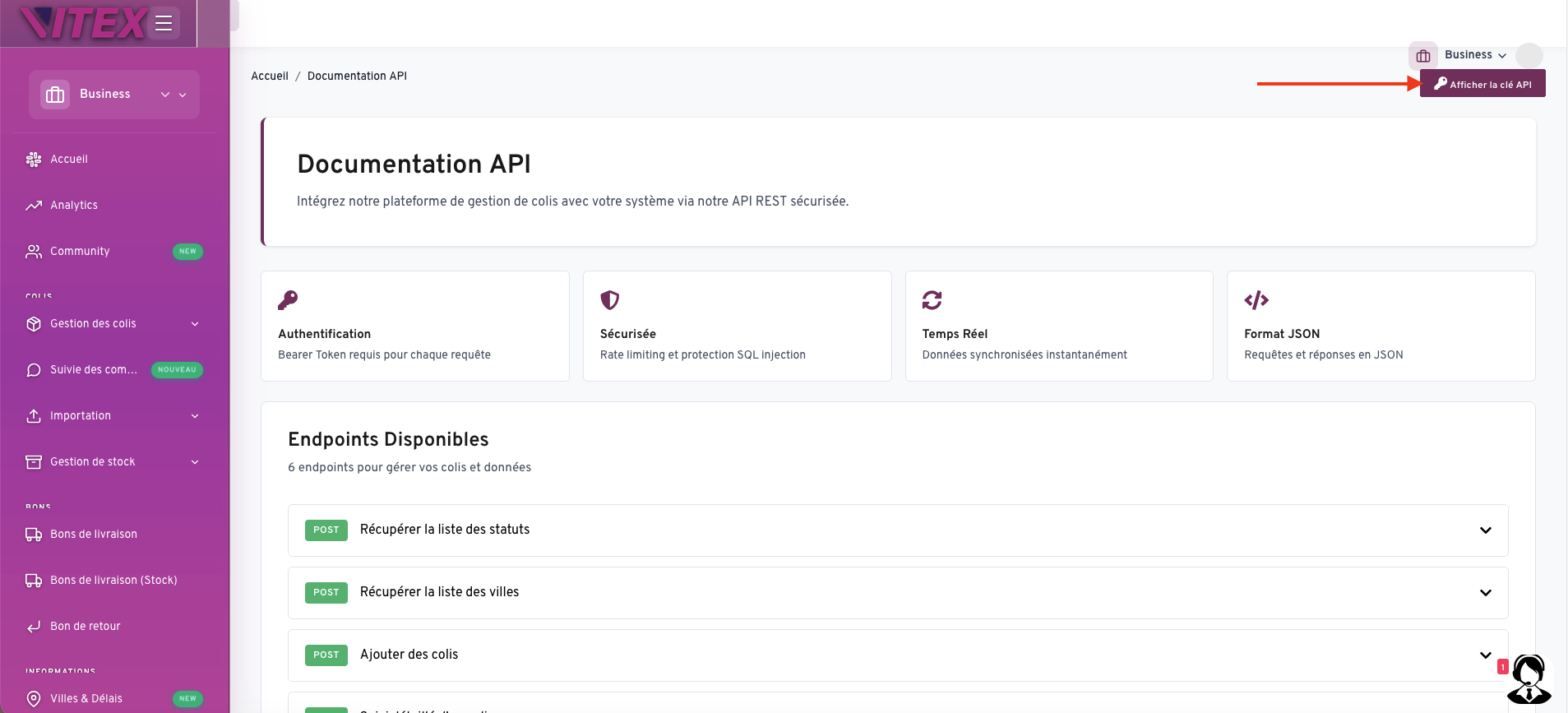
If your API key is already generated: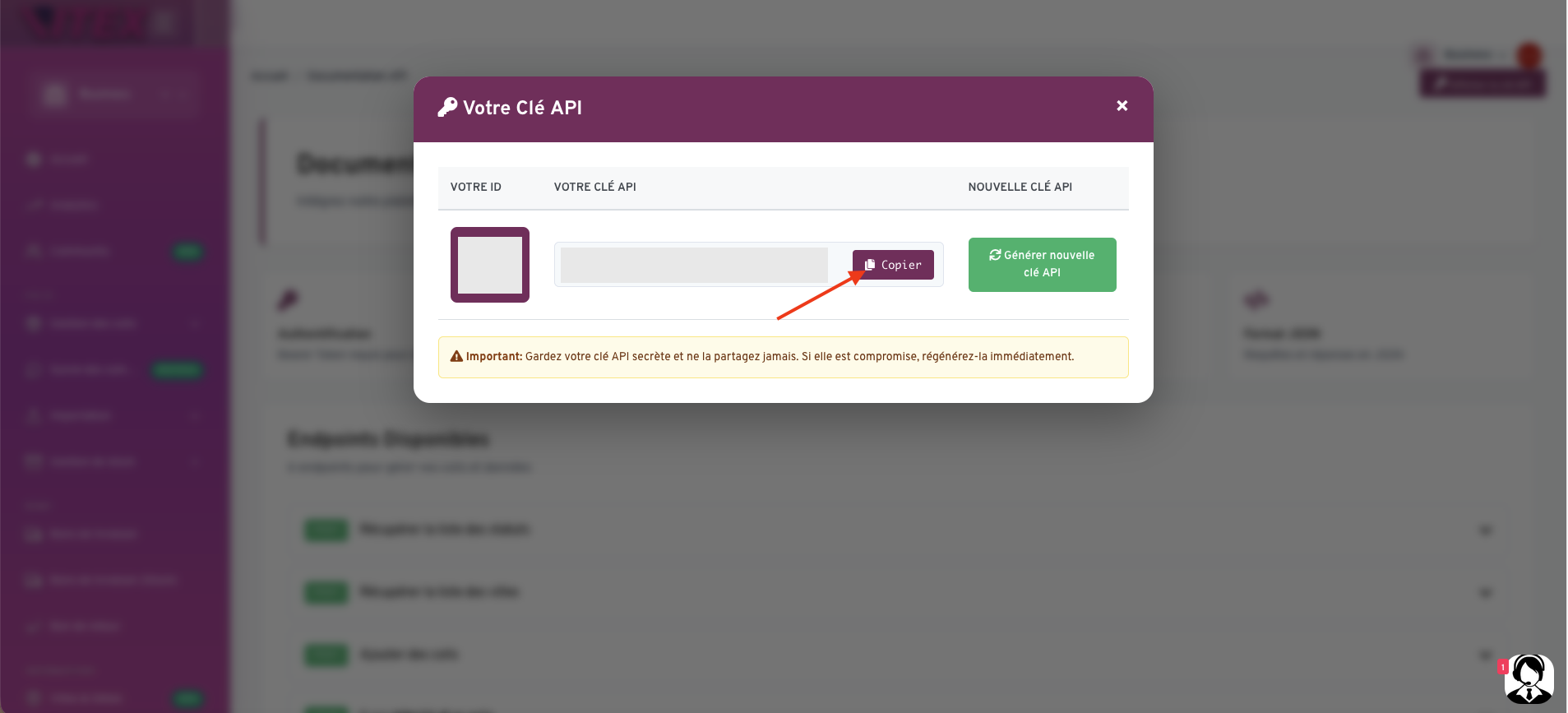
Copy the API Key
If no key exists:
Click Generate
Then copy the newly generated API Key
Step 5: Authenticate the Connection in eGrow
Go back to your eGrow integration page
Paste the API Key into the API Key field
Enter your Connection Name
Click Authenticate
If everything is correct, you will see a success message confirming that your Vitex account has been successfully connected.
✅ Integration Complete
Your Vitex shipping account is now linked to eGrow.
You can now:
Manually create parcels from your orders
Automate parcel creation using eGrow automations
Track shipments directly from your dashboard (if supported)
💡 Tip:
If authentication fails, double-check that:
The API key was copied correctly
There are no extra spaces before or after the key
The key is active in your Vitex account
You’re now ready to start shipping with Vitex directly from eGrow 🚀