Integrating Ozon Express with eGrow allows you to send orders directly to your courier and manage deliveries from one dashboard. Follow the steps below to securely connect your Ozon Express account.
Prerequisites
Active eGrow account
Active Ozon Express account
Step-by-Step: Integrate Ozon Express with eGrow
1. Log in to Your eGrow Account
Open your browser and log in to your eGrow dashboard
2. Navigate to Integrations
From the main menu, go to Integrations
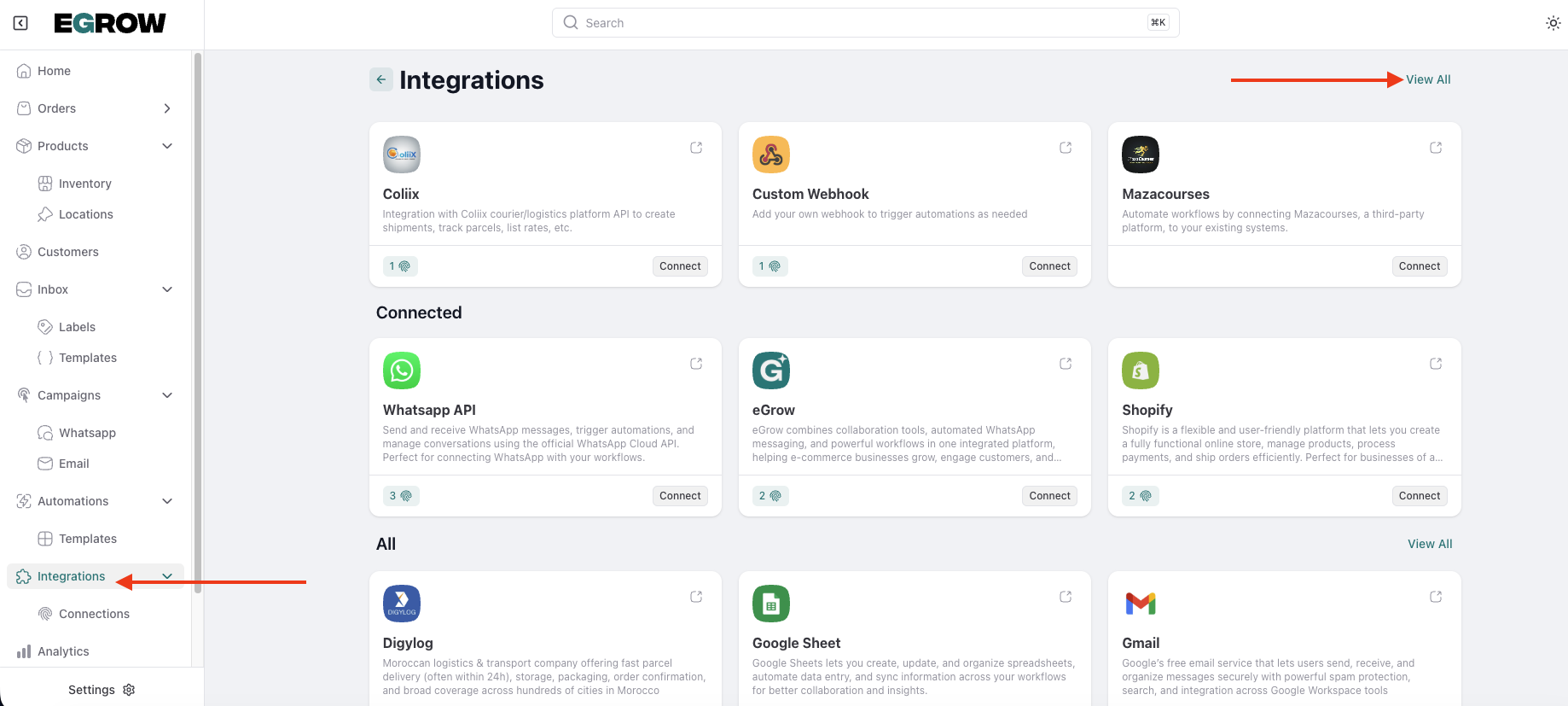
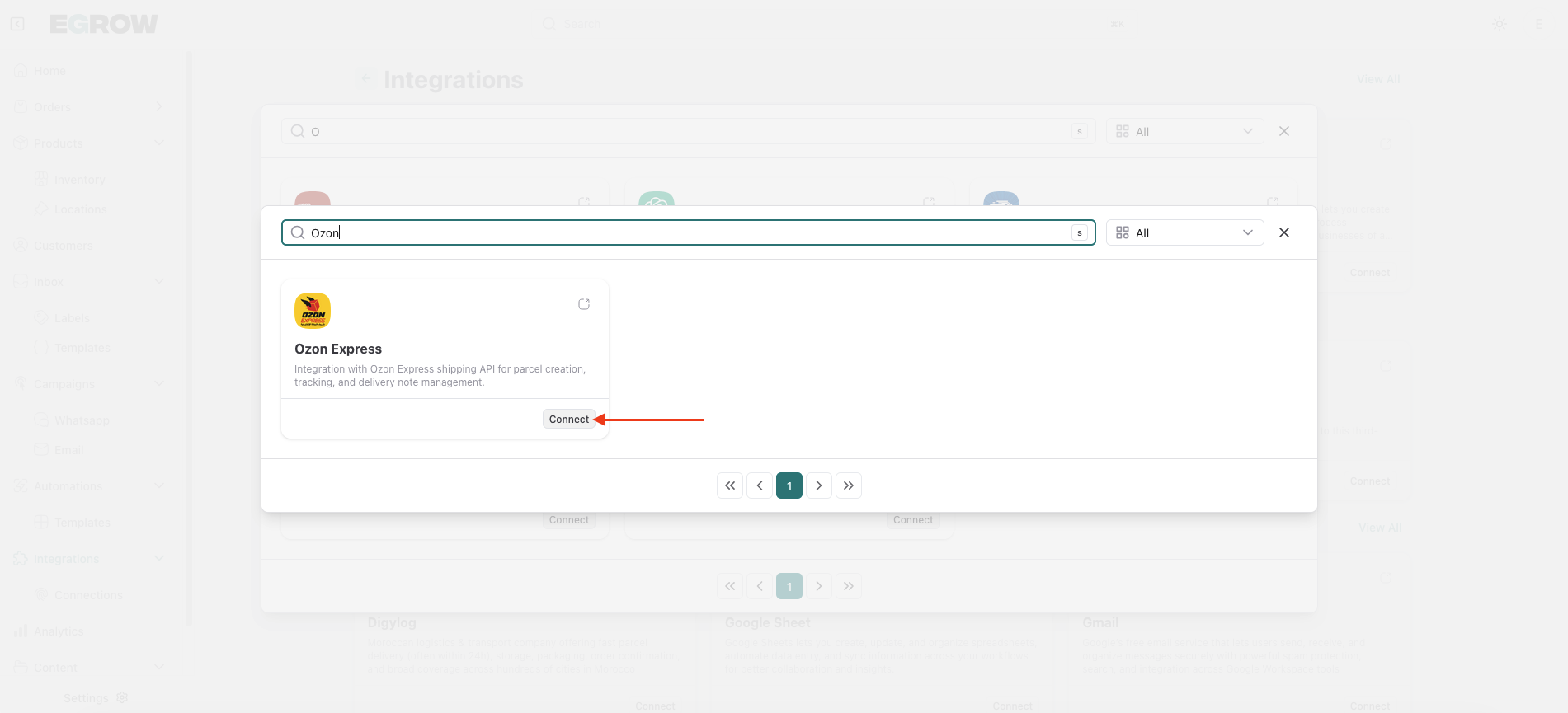
Locate Ozon Express
Click Connect
Click Add Connection
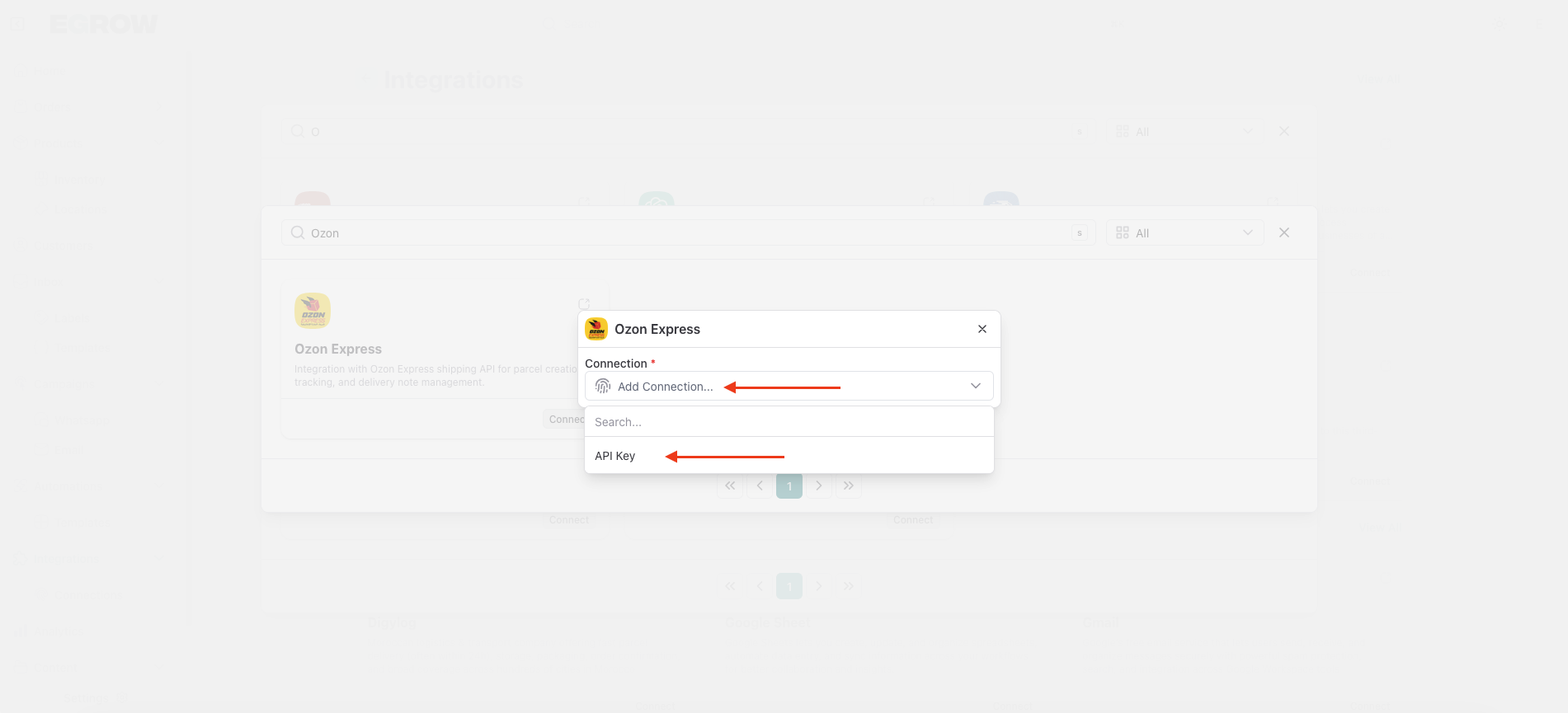
3. Retrieve Your Ozon Express API Credentials
Before completing the integration form, get your API details from Ozon Express:
Log in to your Ozon Express dashboard
Go to Settings
Click Mon compte
Select Afficher la clé API
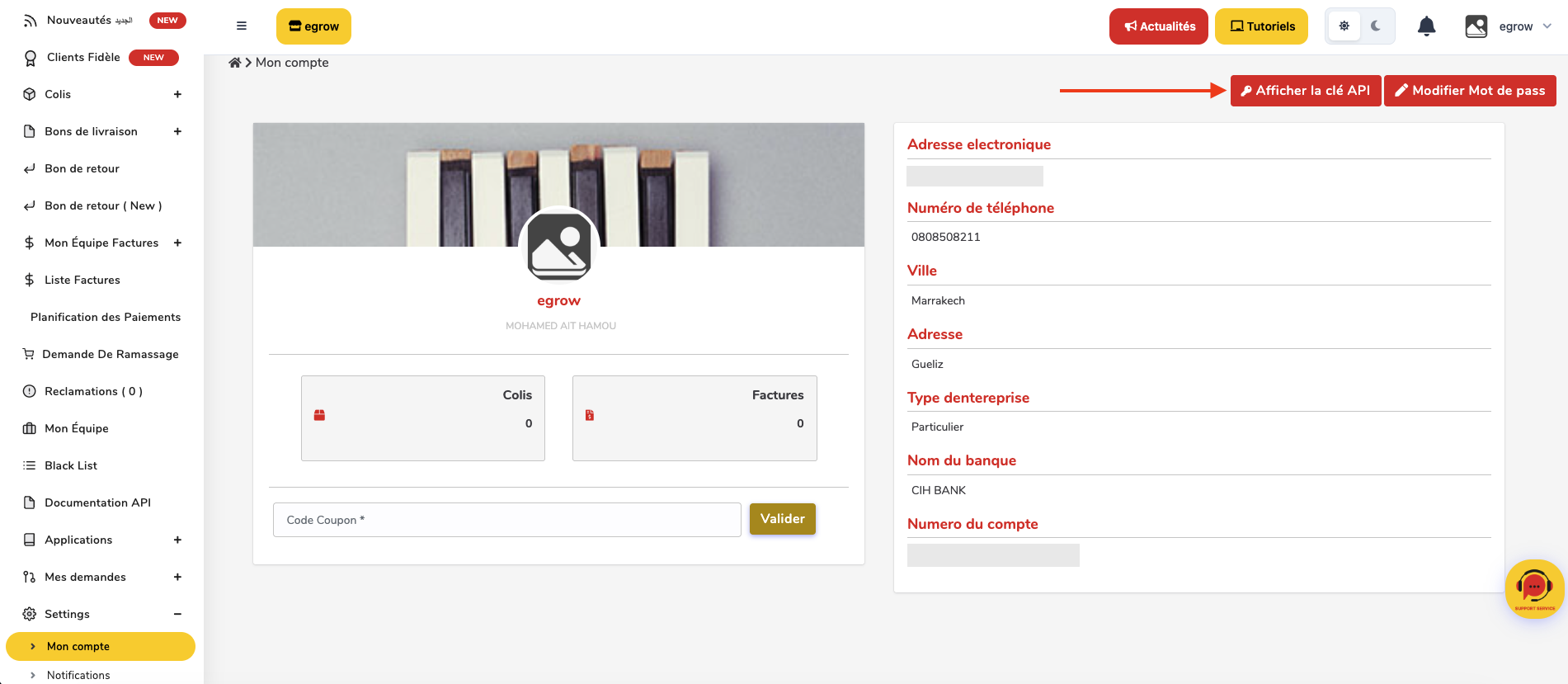
Copy the following credentials:
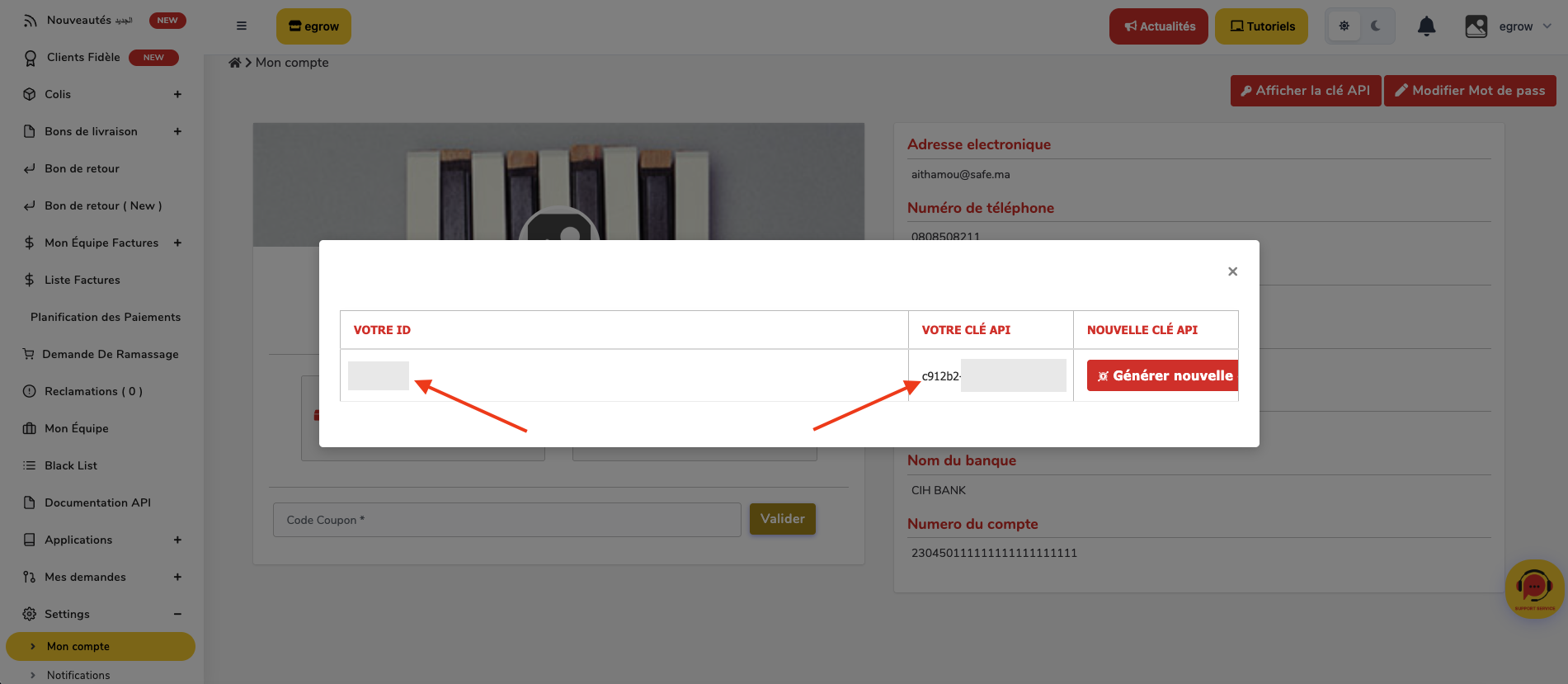
Client ID
API Key
Keep these details ready for the next step.
4. Fill in the Ozon Express Integration Form
Return to eGrow and enter the required information: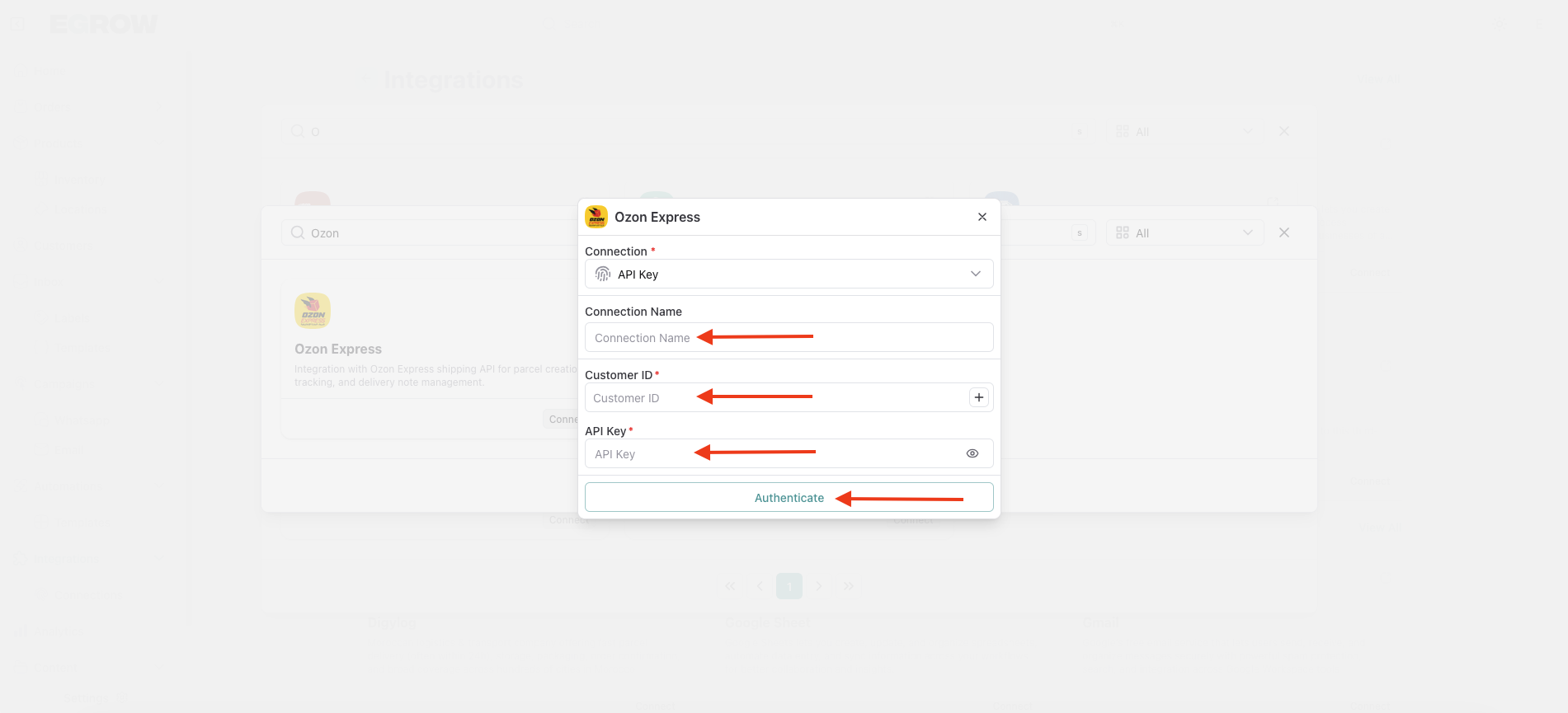
Connection Name
Enter a name to identify the connection
(for example: your company or store name)Client ID
Paste the Client ID copied from Ozon ExpressAPI Key
Paste the API Key copied from Ozon Express
5. Authenticate the Connection
Double-check the entered information
Click Authenticate
Success Confirmation
A success message will appear confirming that Ozon Express has been successfully integrated with eGrow.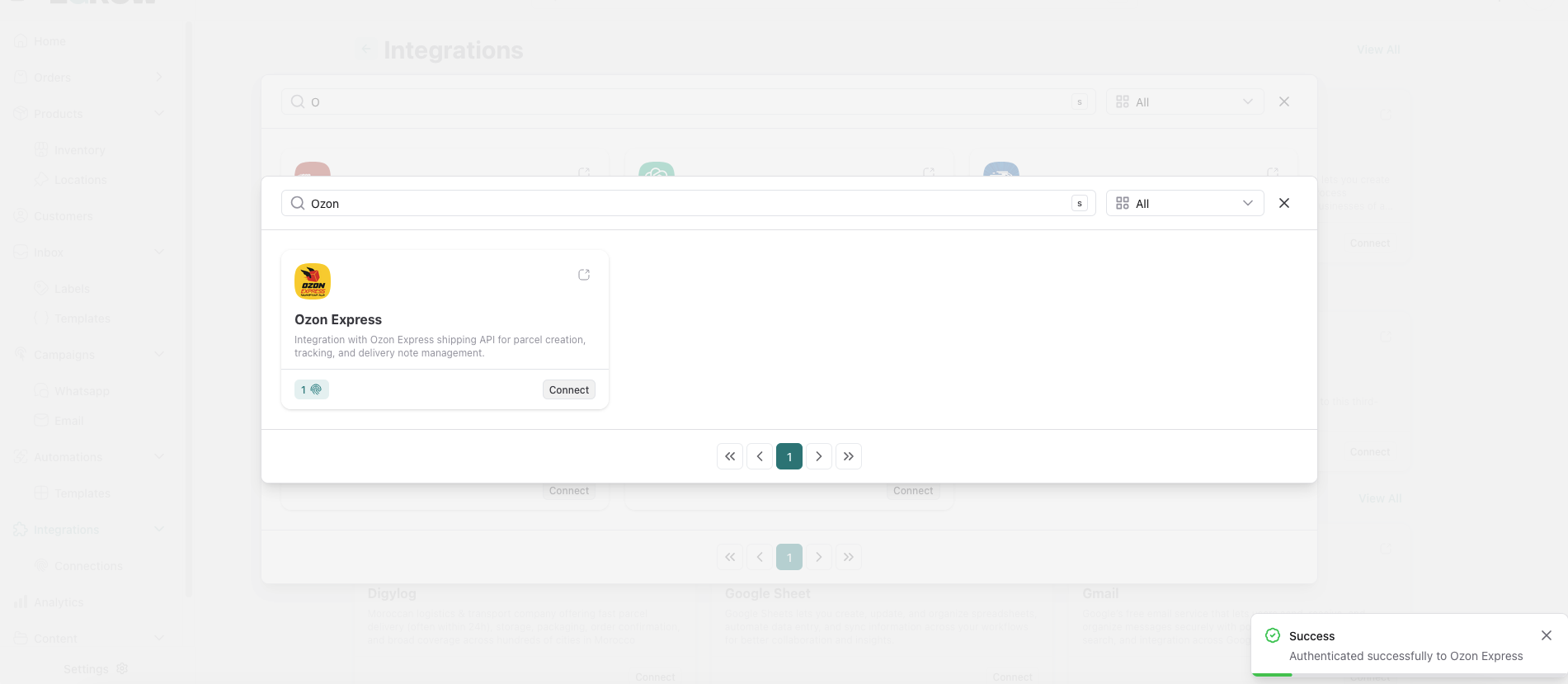
You can now:
Send orders directly from eGrow to Ozon Express
Manage deliveries from a single dashboard
Track shipment status when supported
If you encounter any issues, verify your API credentials or contact Ozon Express Support or eGrow Support for assistance.