You can now connect your Coliix shipping account directly to eGrow and send orders without leaving your dashboard. Follow the steps below to set up the integration.
Step-by-Step Integration Guide
1. Log in to your eGrow V2 Account
Open your browser and go to eGrow
Log in using your credentials.
2. Navigate to Integrations
From the left menu, click Integrations
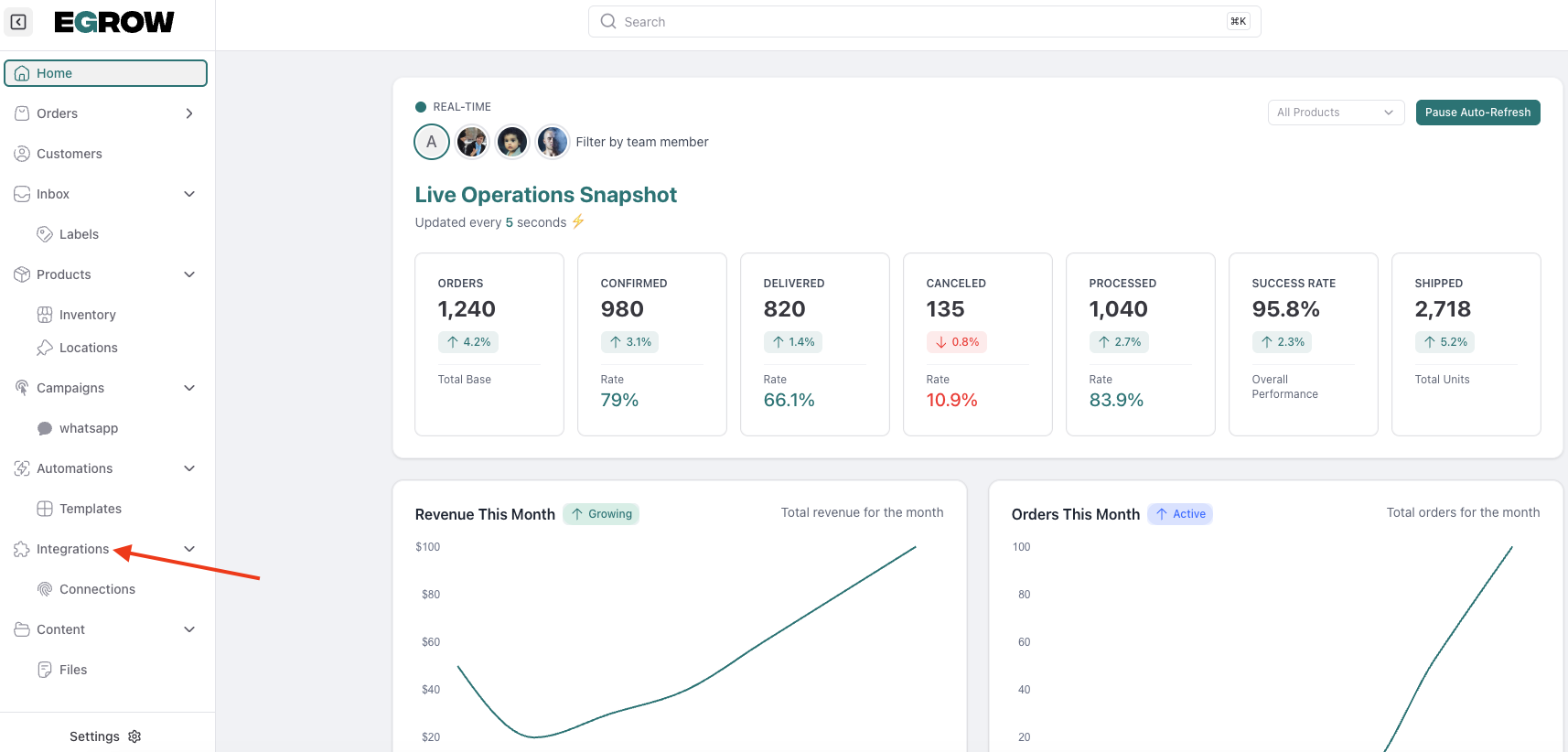
Search for Coliix Integration
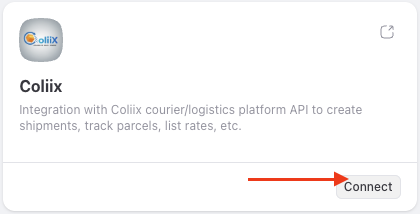
3. Connect Coliix
Click Connect
Click Add Connection
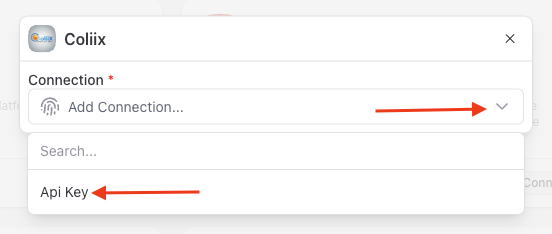
Select API Key as your authentication method
4. Retrieve Your Coliix API Key
Open a new tab and log in to your Coliix account
Go to Settings → Profile
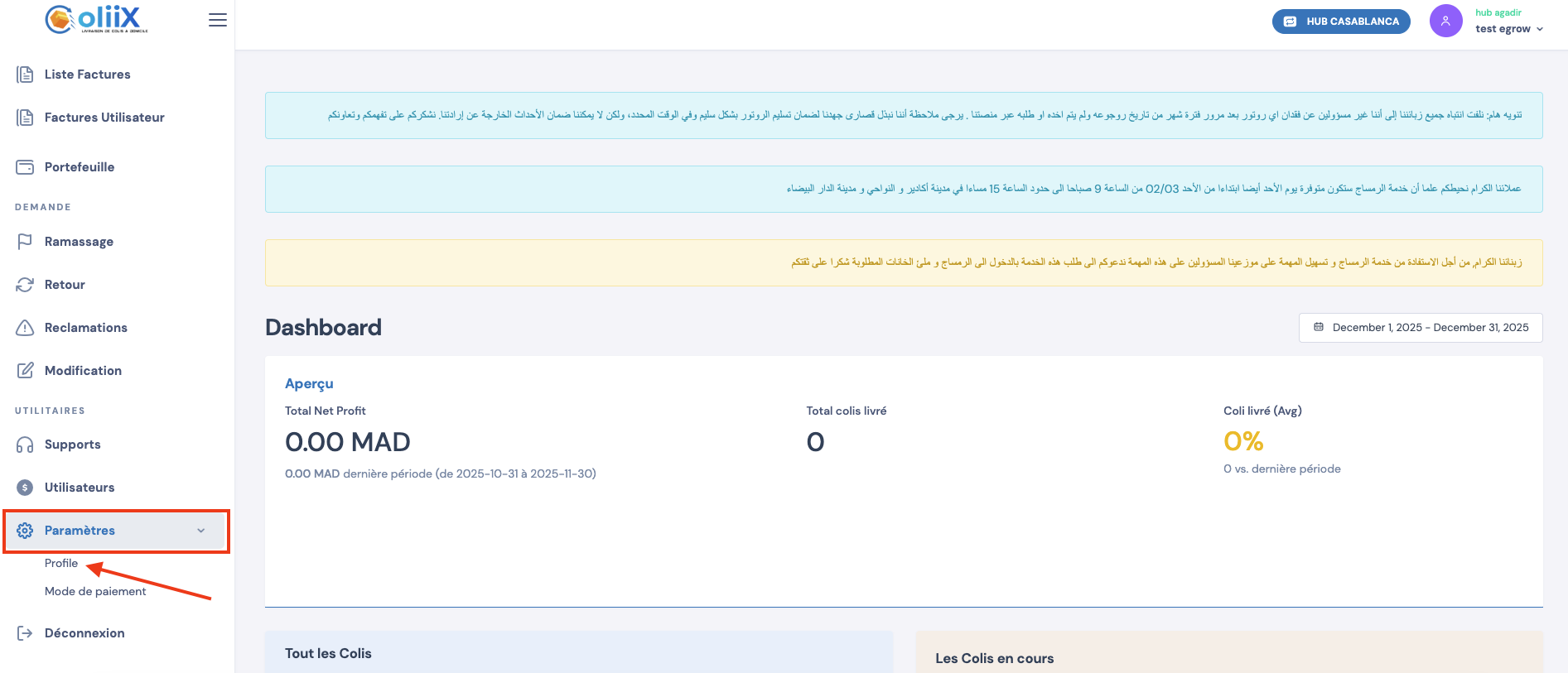
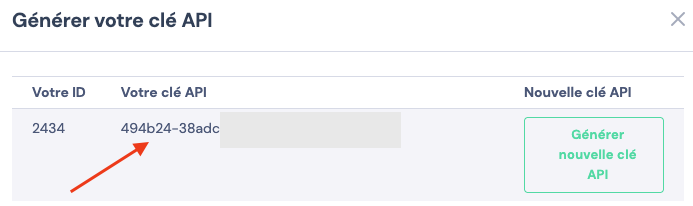
Click Show API Key
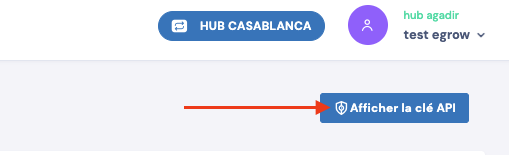
Copy the generated API Key
If no key exists, generate one from the same section.
5. Add API Key in eGrow
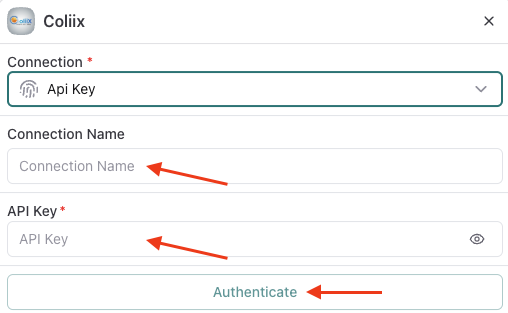
Return to eGrow
Paste the API Key into the API Key field
Enter a Connection Name
(for example: your store or company name)Click Authenticate
Success Confirmation
Once authenticated, a confirmation message will appear indicating the integration was successful.
You can now:
Use Coliix directly from eGrow
Send orders to Coliix without leaving your dashboard
Start shipping seamlessly using your connected account