Step-by-Step: Integrate Mille Colis with eGrow
Step 1: Log in to Your eGrow Account
Open your browser and go to eGrow
Sign in using your account credentials
Step 2: Open the Mille Colis Integration
From the left-hand menu, click Integrations
Search for or locate Mille Colis
Click the Connect button
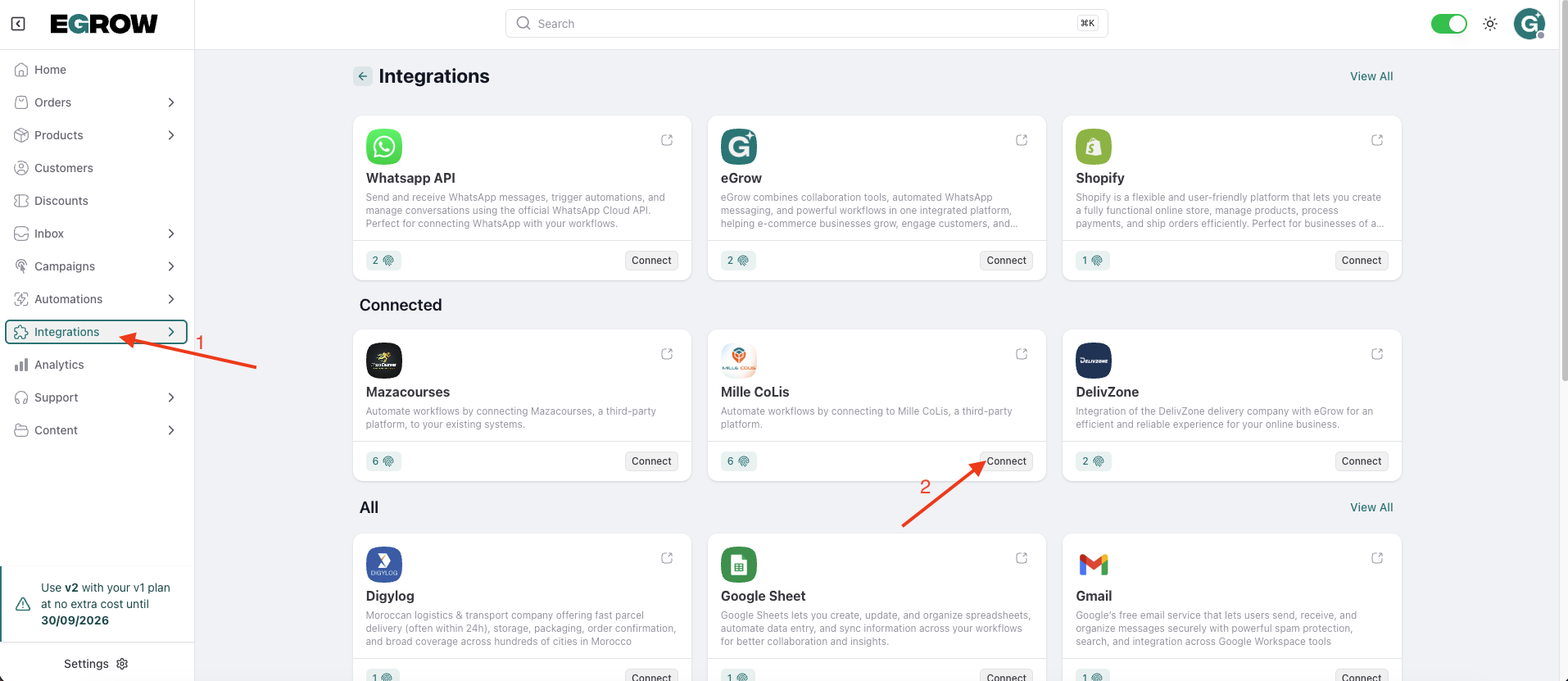
Step 3: Add a New Connection
Click Add Connection
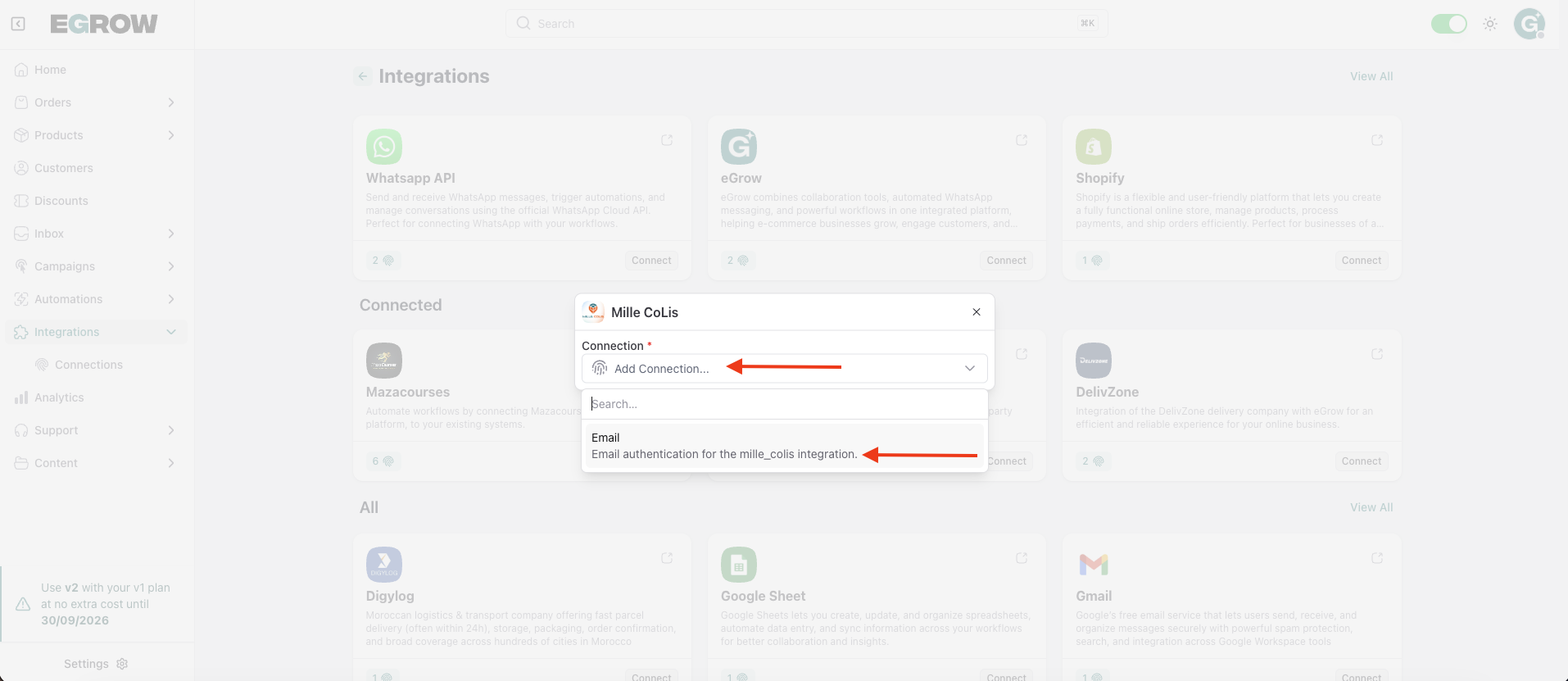
The Mille Colis connection form will appear
Step 4: Enter Your Mille Colis Email
Fill in the following field:
Email
Enter the email address associated with your Mille Colis account
Make sure the email is correct, as it will be used to identify your account with Mille Colis.
Step 5: Authenticate the Connection
Click Authenticate
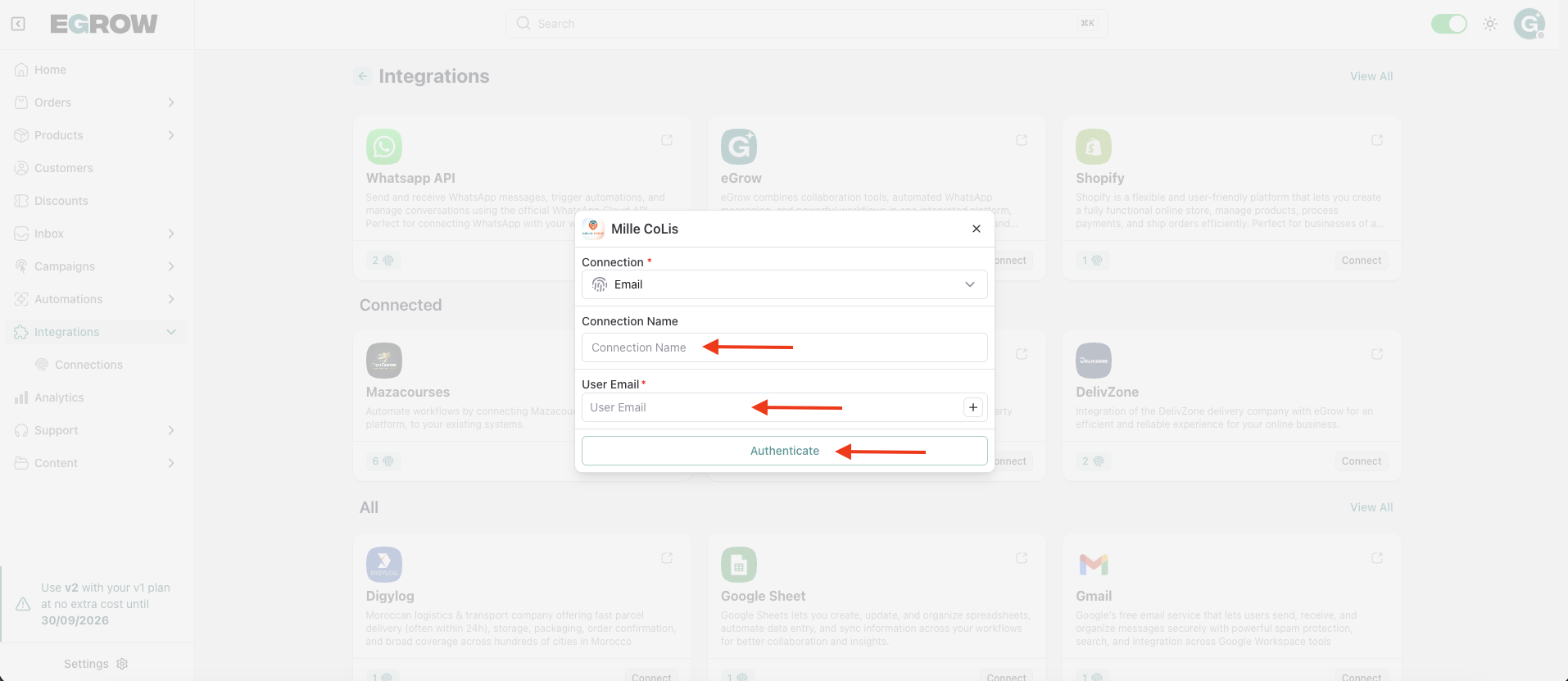
Wait a few seconds while eGrow verifies the connection
✅ Success Confirmation
A success message will appear confirming that Mille Colis has been successfully integrated with your eGrow account.
You can now:
Send orders from eGrow to Mille Colis
Create parcels manually or through automations
Track delivery status when supported
💡 Tip
If the connection fails:
Double-check the email address used for your Mille Colis account
Make sure your Mille Colis account is active
Try reconnecting if the issue persists