Step-by-Step: Connect Cathedis to eGrow
Step 1: Log in to Your eGrow Account
Open your browser and go to your eGrow dashboard
Enter your email and password
Click Login
Step 2: Navigate to Integrations
From the left-hand sidebar, click Integrations
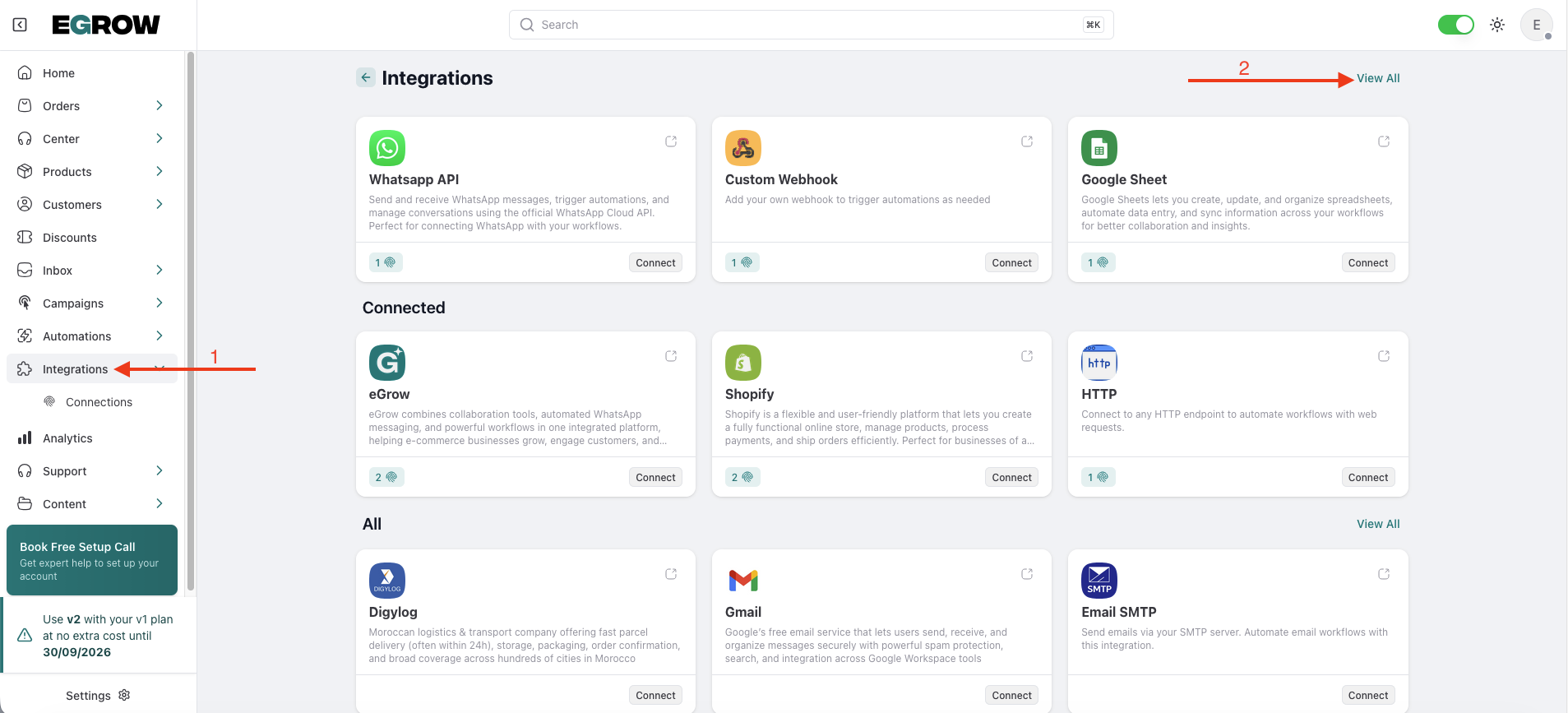
Search for Cathedis in the integrations list
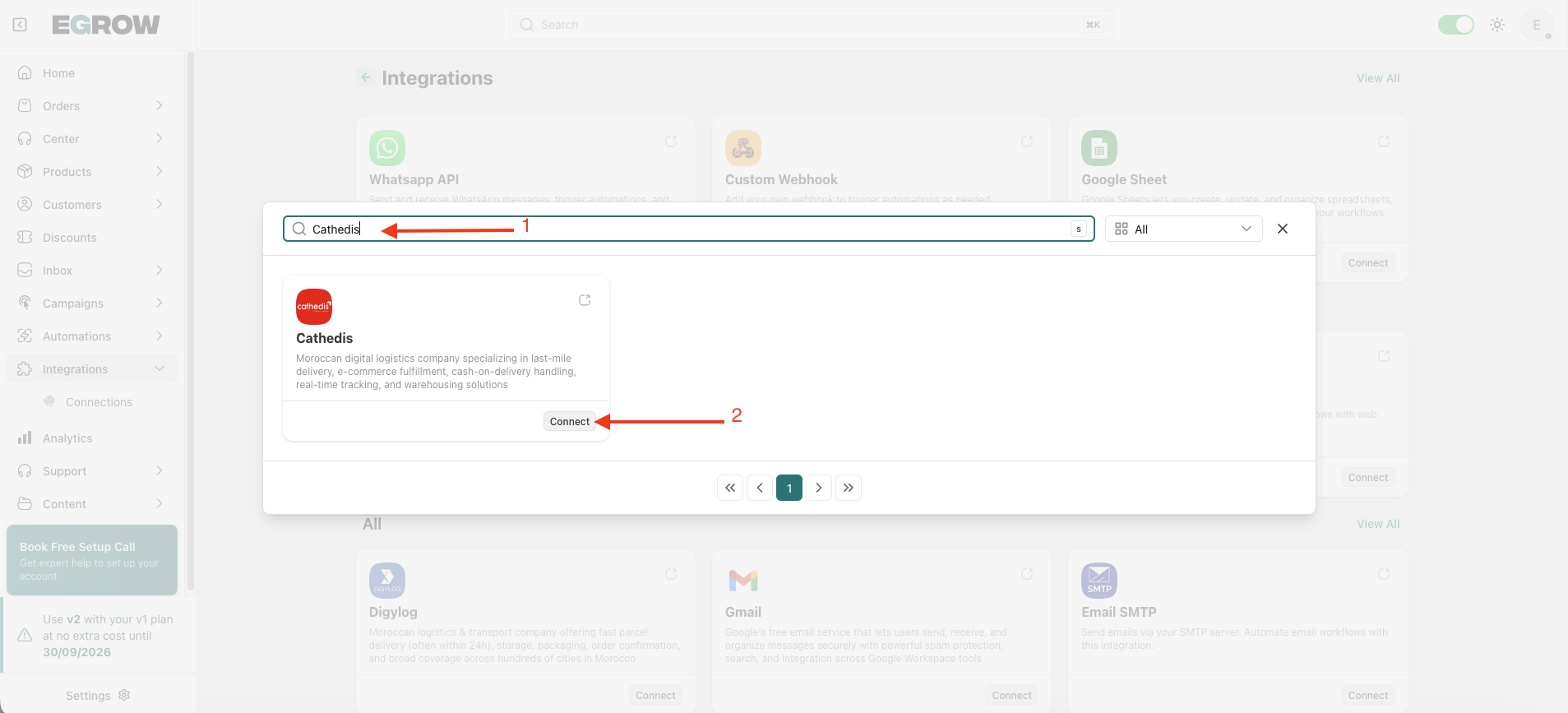
Step 3: Add a New Connection
Click the Connect button
Click Add Connection
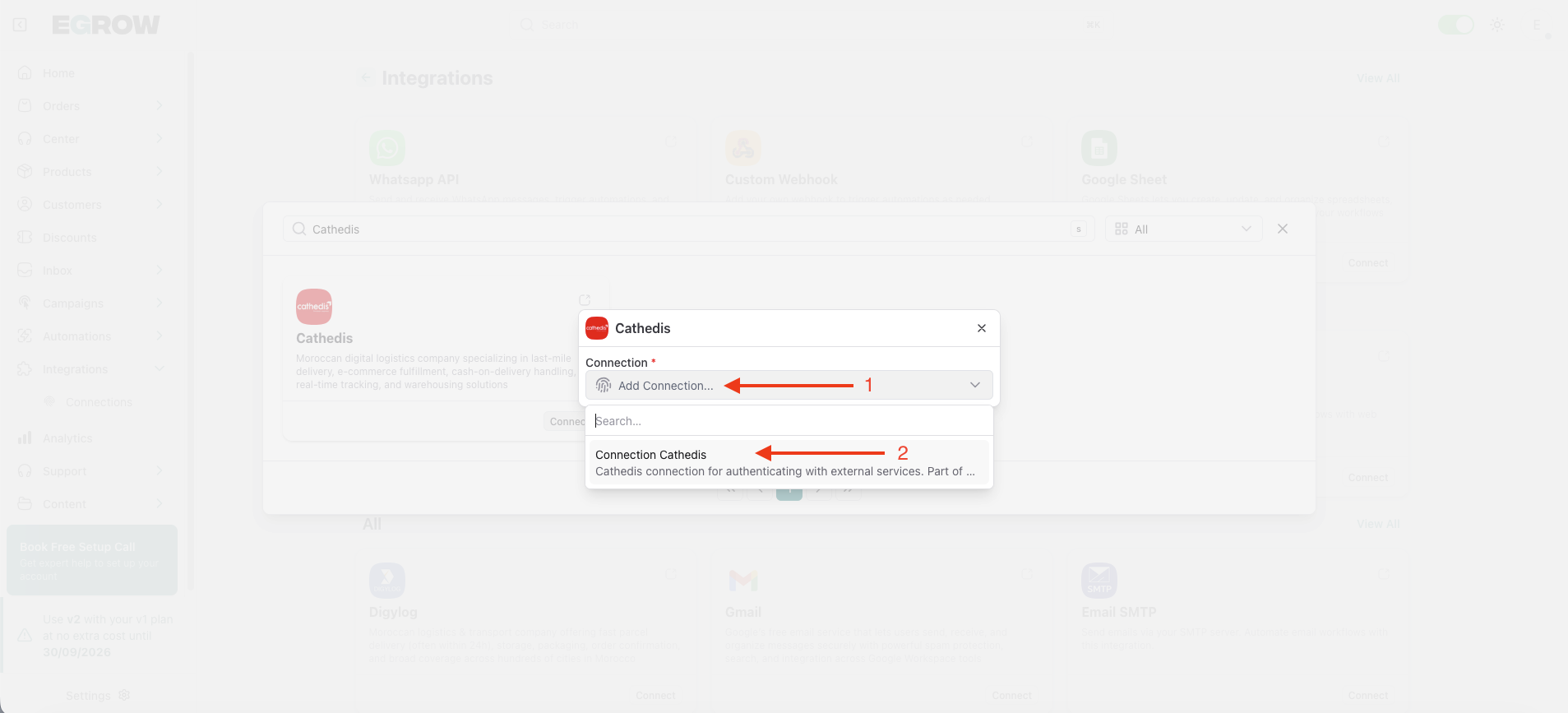
A connection form will appear where you need to enter your Cathedis account details.
Step 4: Enter Your Cathedis Credentials
Fill in the required fields: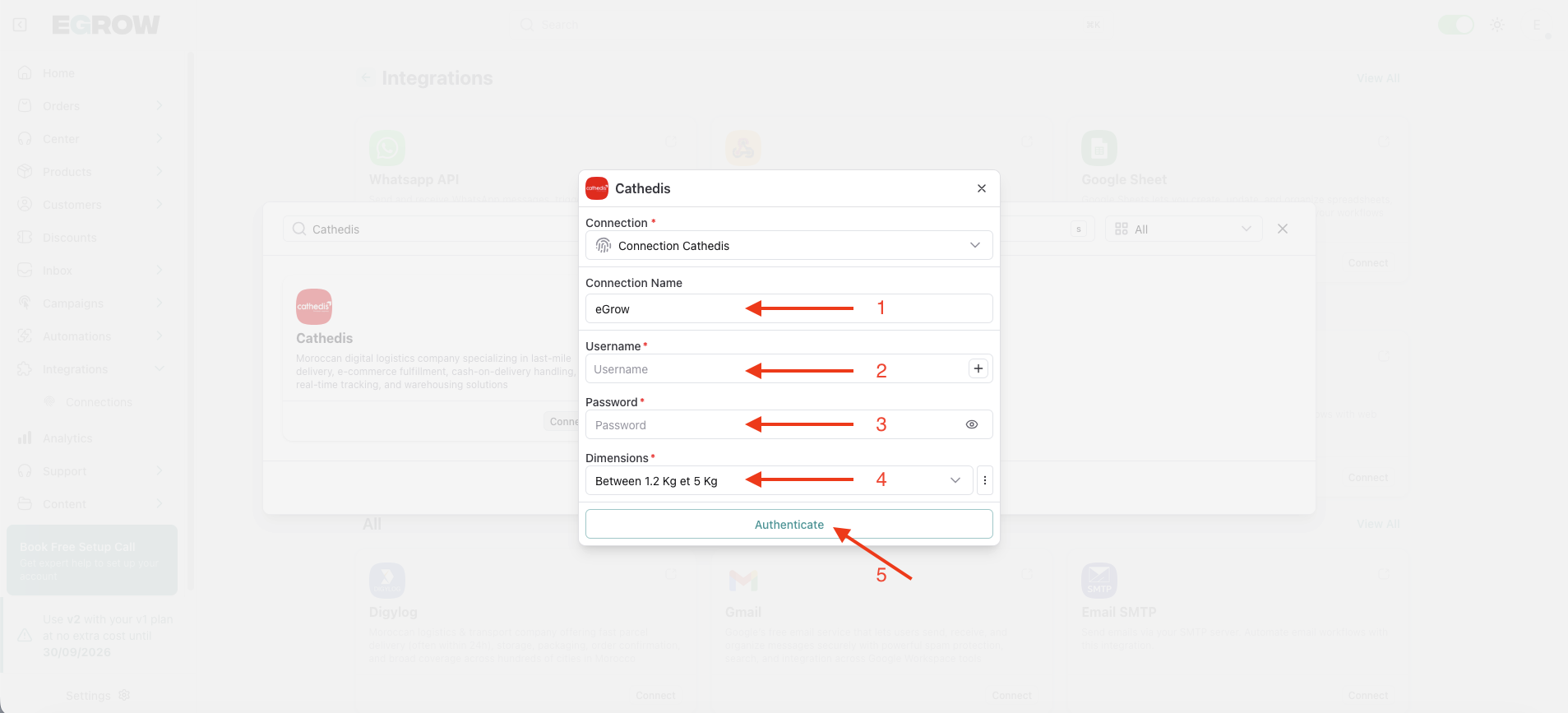
Connection Name
Enter a custom name (example: My Store Cathedis).
This helps you identify the account if you manage multiple connections.Username
Enter your Cathedis account username.Password
Enter your Cathedis account password.Dimensions
Enter the supported shipping weight range:
Between 1.2kg and 5kg
Make sure all information is entered correctly.
Step 5: Authenticate the Connection
Click the Authenticate button
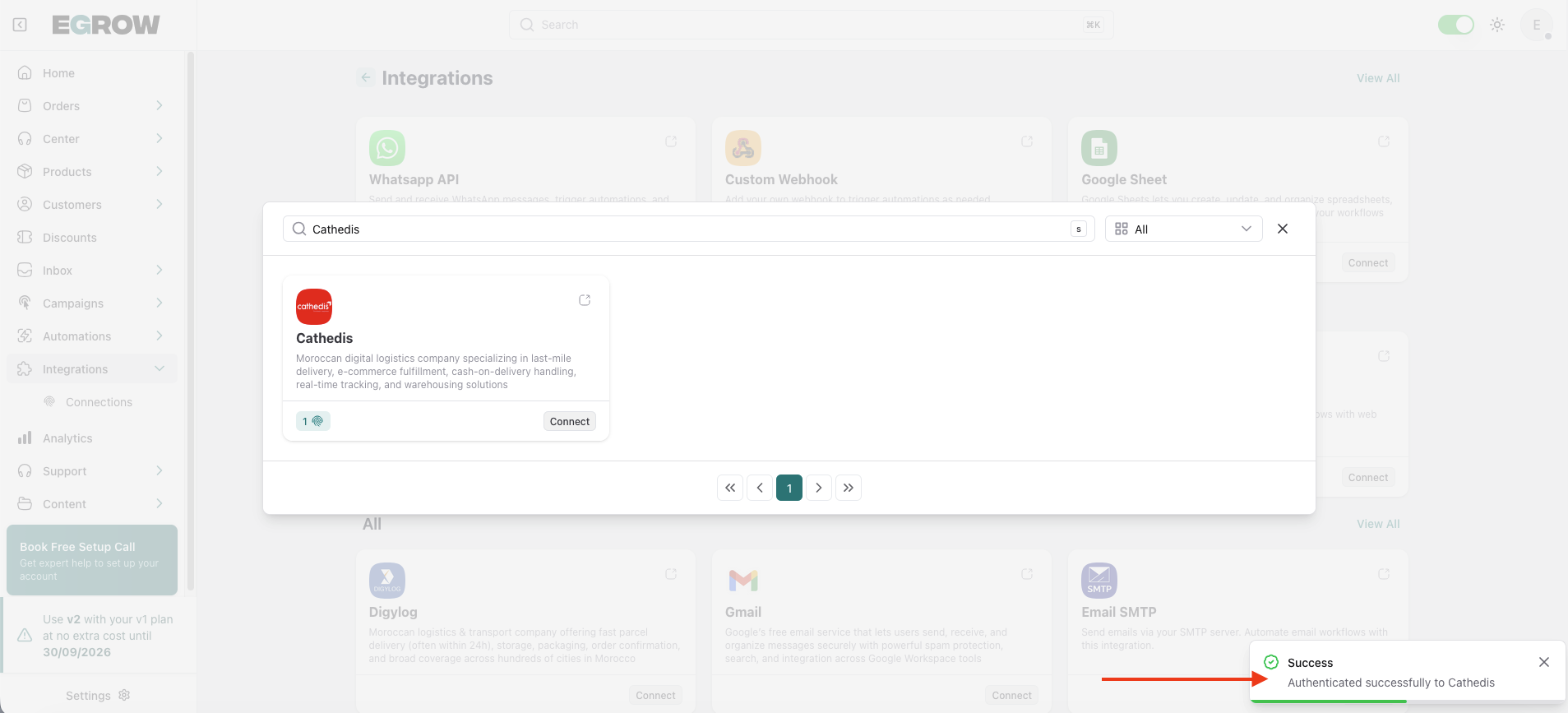
If the credentials are correct, a success message will appear confirming that your Cathedis account has been successfully connected.
✅ Integration Complete
Your Cathedis shipping company is now integrated with eGrow.
You can now:
Manually send parcels to Cathedis
Automate parcel creation using automations
Manage and track shipments directly from eGrow
💡 Tips
Double-check your username and password if authentication fails
Make sure the dimensions match Cathedis shipping requirements
Use a clear connection name if you manage multiple courier accounts
If you need help setting up automatic parcel sending with Cathedis, you can install the ready-made automation template from Automations → Templates inside eGrow.