Step-by-Step: Automatically Send Parcels to Ozon Express
Step 1: Find the Ozon Express Automation Template
First, locate the pre-built automation template inside your eGrow dashboard.
Log in to your eGrow account
From the left-hand sidebar, click Automations
From the dropdown menu, select Templates
Look for the template titled:
“Add Parcel to Ozon Automatically”
Click Preview & Install
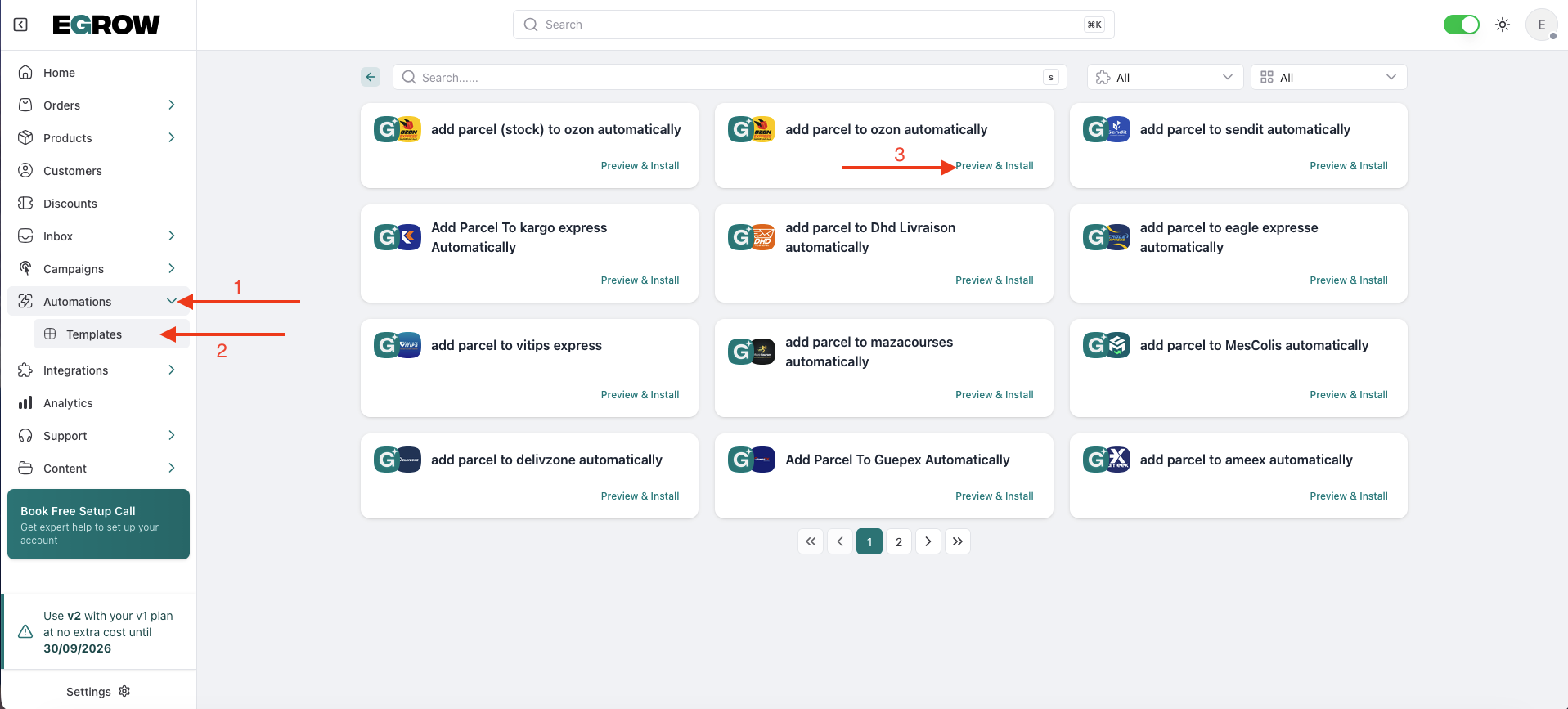
This template is already configured to automatically send parcel details to Ozon Express when an order reaches the selected stage.
Step 2: Name and Install Your Automation
After clicking Preview & Install, you’ll see a visual workflow (automation map).
Don’t worry about the technical blocks — everything is pre-configured for Ozon Express.
In the bottom-right corner, locate the Slug field
Enter a simple name for your automation
Example:ozon-express-shipping
Click the Install button
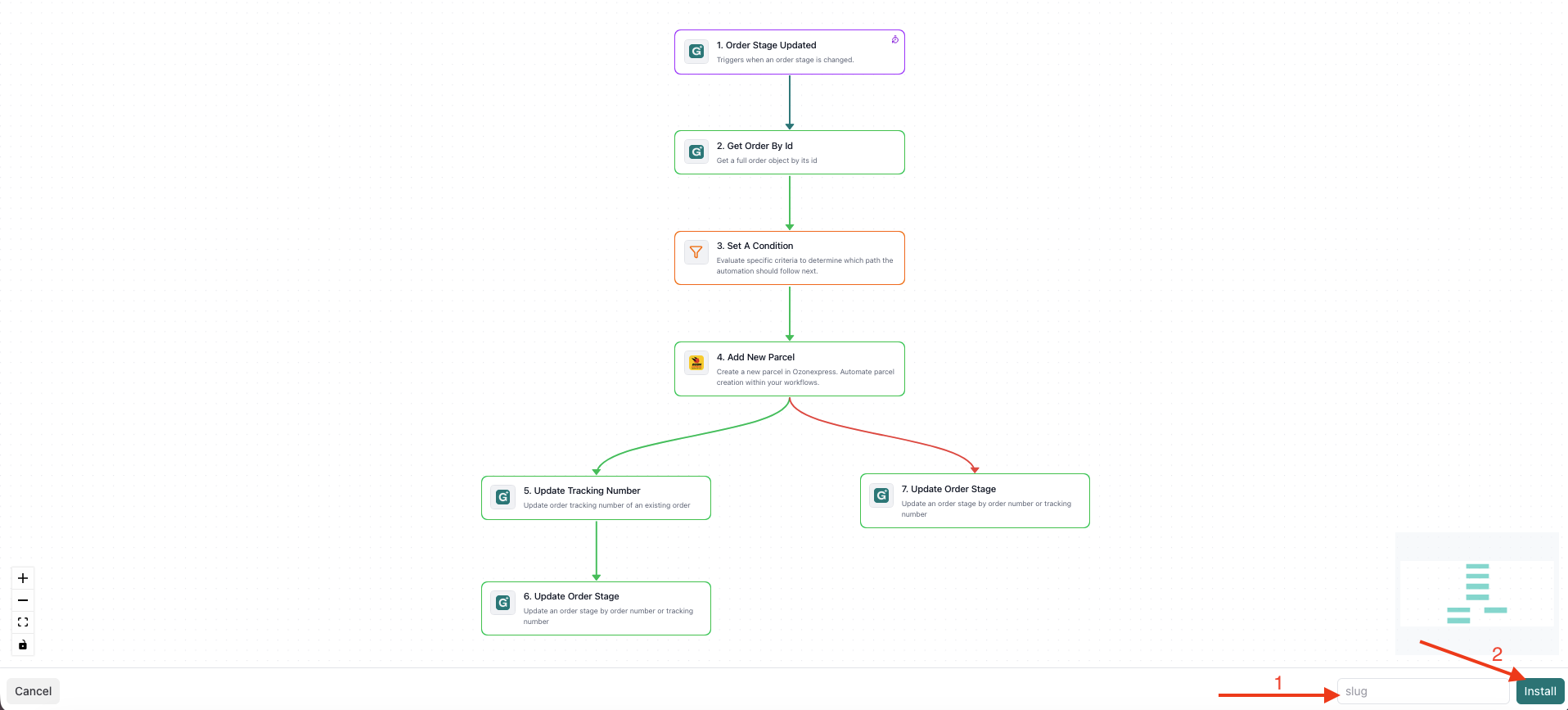
The slug is just an internal identifier and does not affect how the automation runs.
Step 3: Save and Activate the Automation
Once installed, you’ll be redirected to the automation editor.
Review the workflow to ensure everything looks correct
Make sure the correct Ozon Express connection is selected (if required)
Click Save Changes in the top-right corner
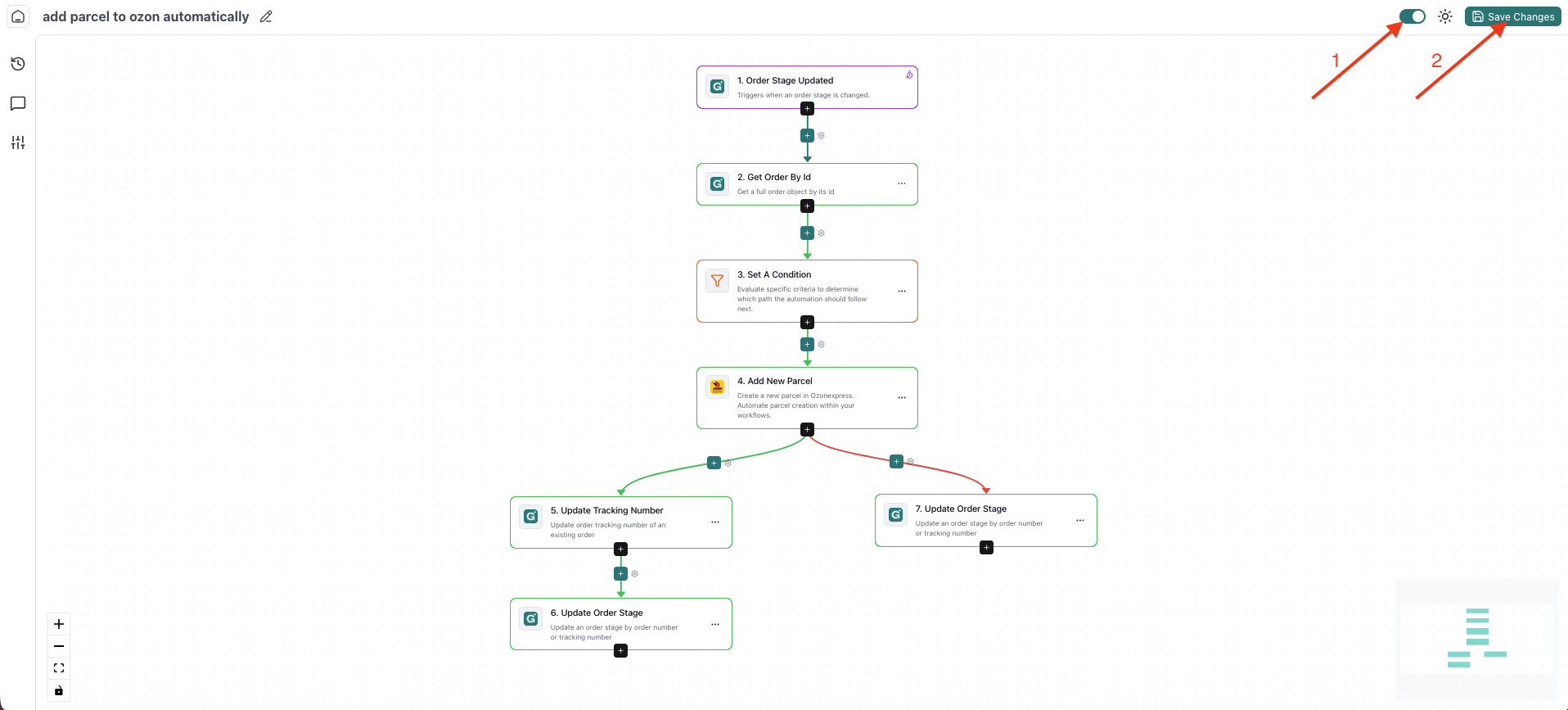
That’s it 🎉
Your automation is now active.
✅ What Happens Next?
From now on:
When an order reaches the configured pipeline stage
eGrow will automatically create and send the parcel to Ozon Express
No manual action is required
You can monitor:
Automation activity inside Automations
Parcel tracking status inside your order details
Shipping updates from your Ozon Express dashboard
💡 Important Before Activating
Before enabling this automation, make sure:
Your Ozon Express integration is already connected and authenticated
The correct pipeline stage is used to trigger shipment
Your order information (customer name, phone, address) is properly filled
🚀 Benefits of Automating Ozon Express Shipping
Faster order processing
Reduced human errors
Fully automated fulfillment workflow
Better delivery speed
Centralized order and shipping management inside eGrow