Step-by-Step: Automatically Send Parcels to Coliix
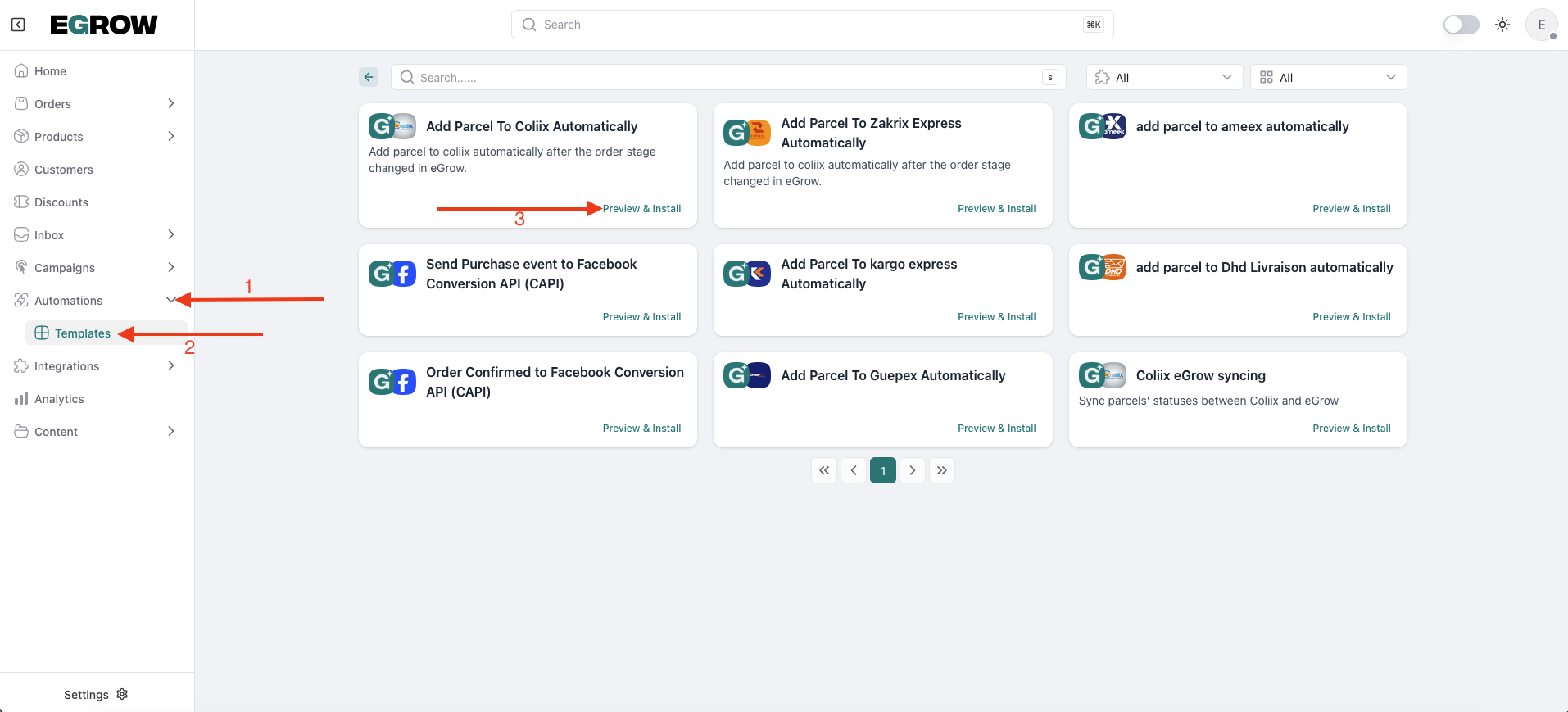
Step 1: Find the Coliix Automation Template
Log in to your eGrow account
Click Automations from the left menu
Select Templates
Locate “Add Parcel to Coliix Automatically”
Click Preview & Install
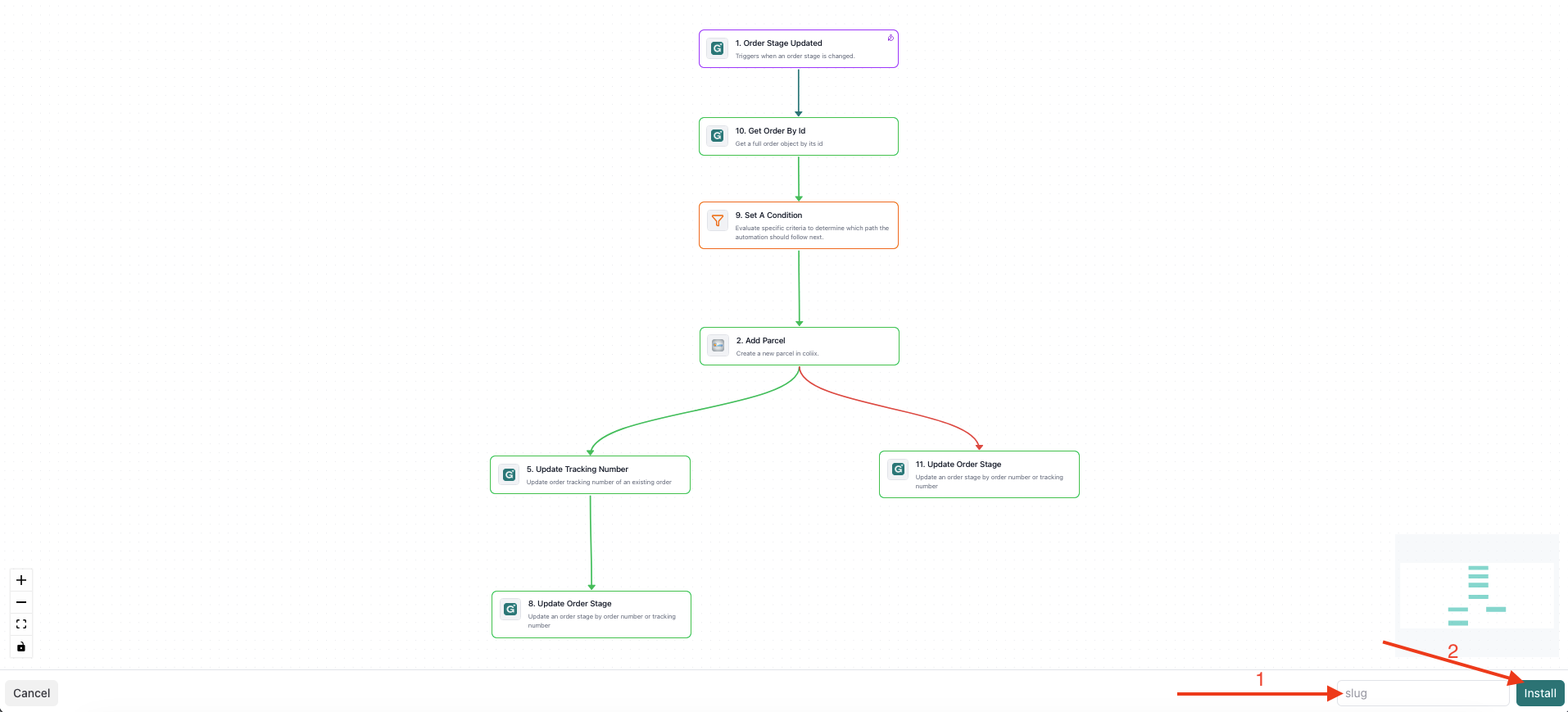
Step 2: Name and Install Your Automation
In the Slug field, enter a name
Example:
coliix-shipping
Click Install
Step 3: Save and Activate
Review the workflow
Click Save Changes
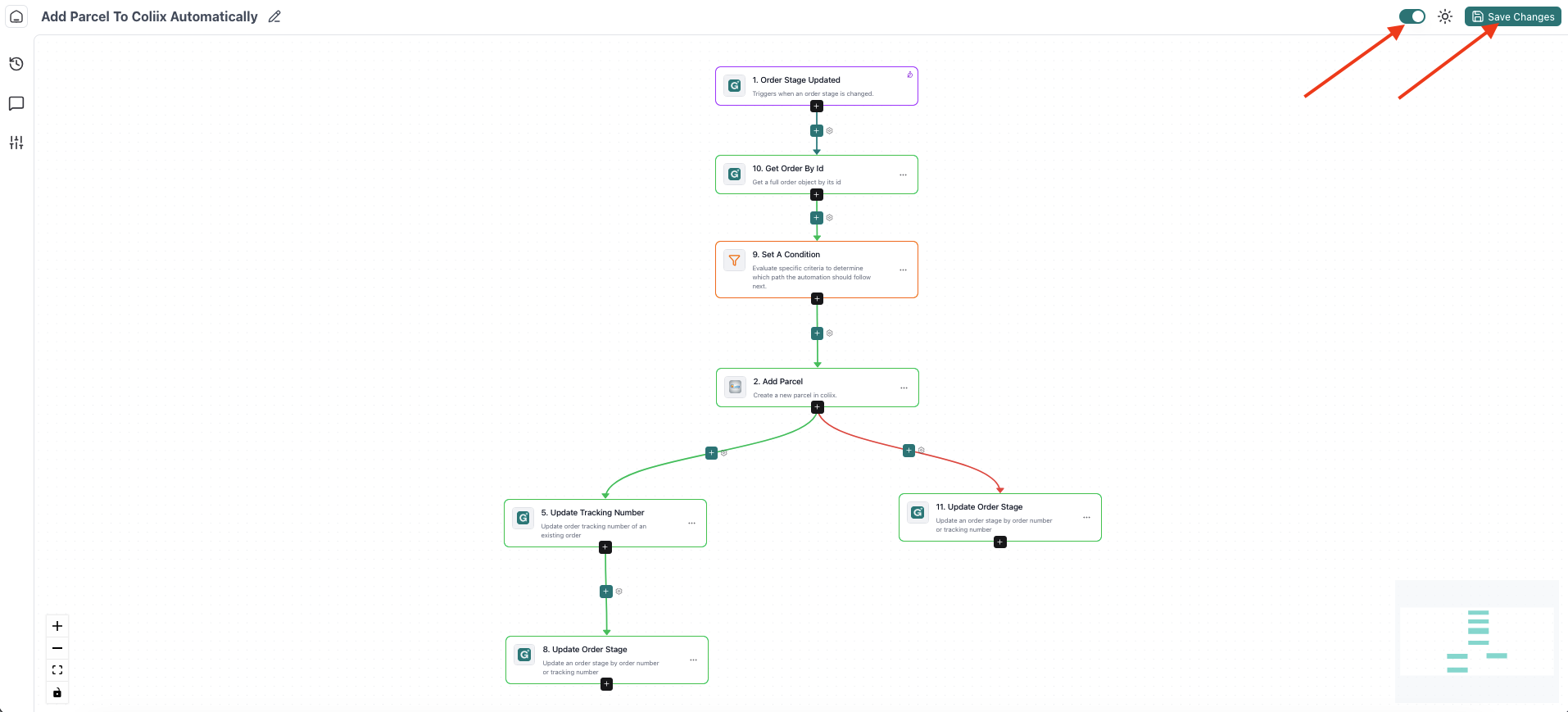
✅ The automation is now live.
✅ What Happens Next?
When an order reaches the selected pipeline stage
eGrow automatically sends the parcel to Coliix
Shipment creation happens without manual action
You can monitor automation runs directly from eGrow.