Change language
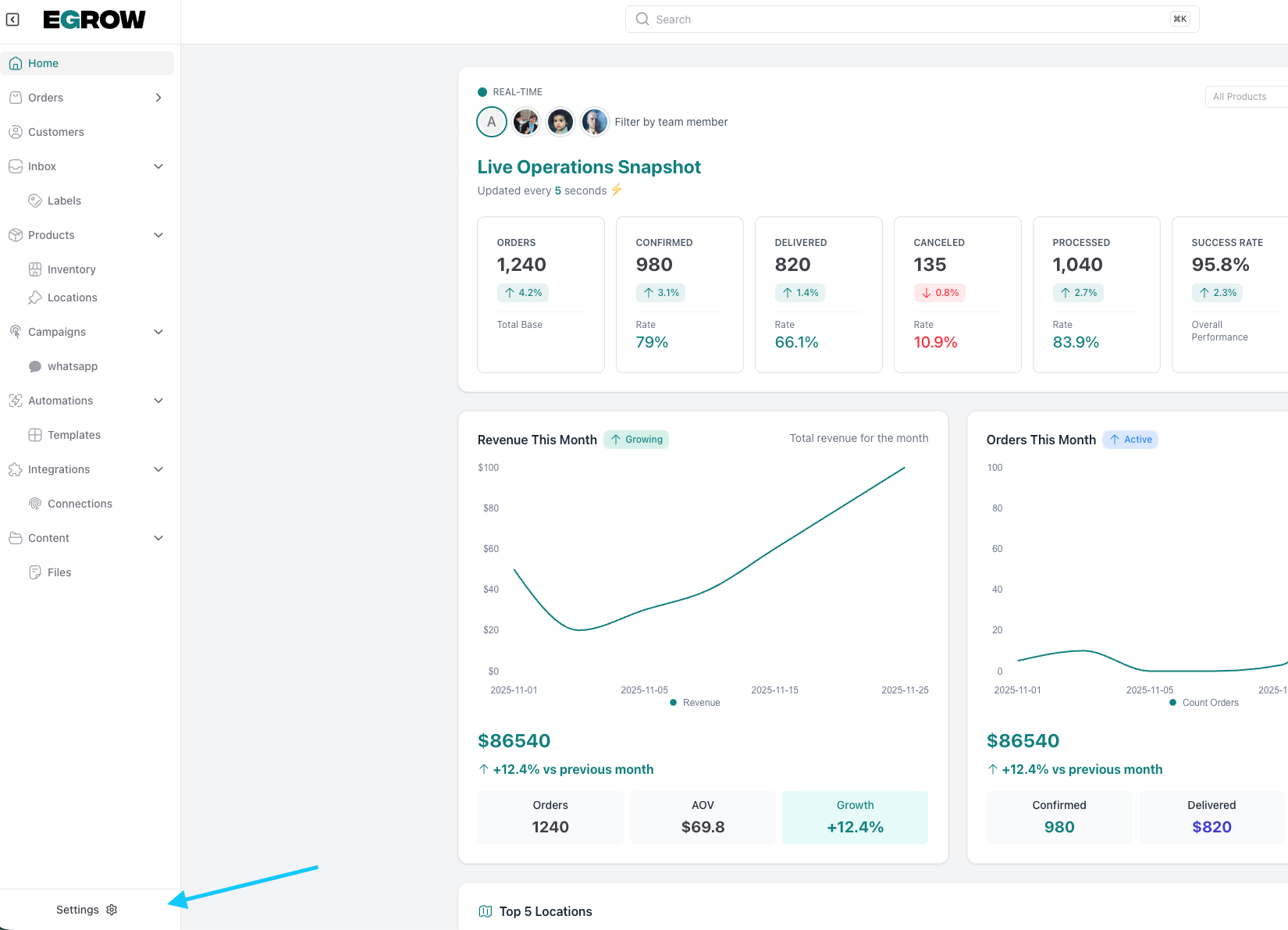
from the home page go to settings
go to general settings then default language and choose your preferred language
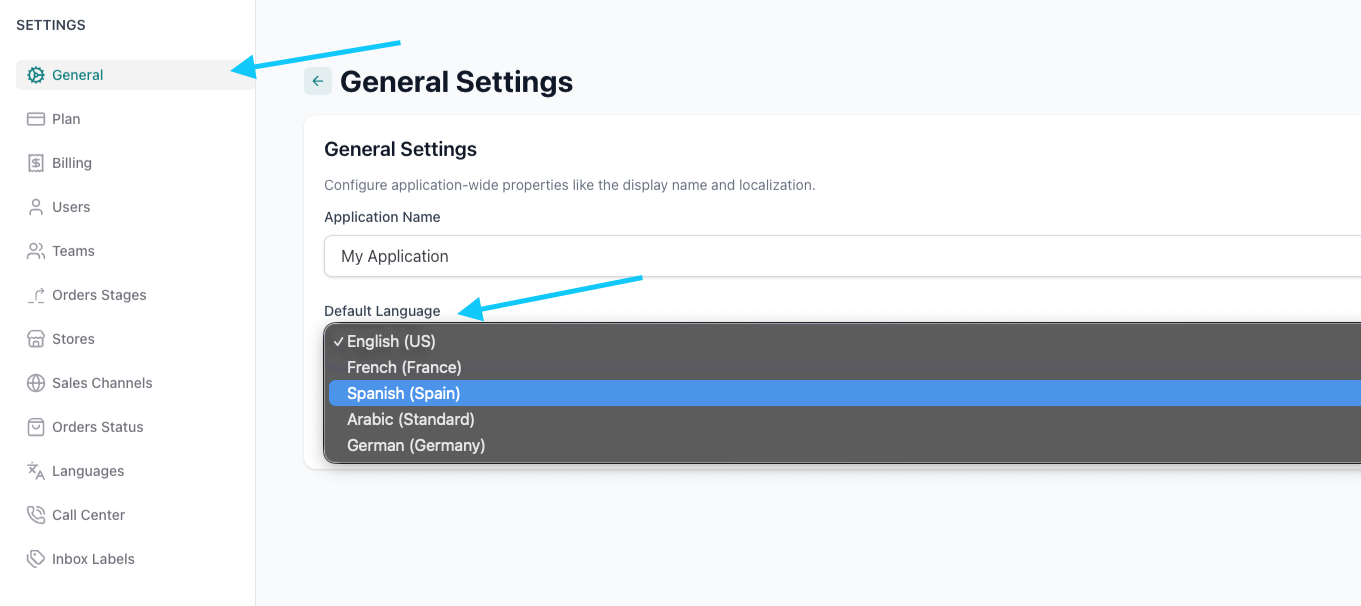
General Settings allow you to configure the core preferences of your application in one place. From this section, you can set the application name and choose the default language (English, French, Spanish, Arabic, or German), ensuring the platform is localized and adapted to your team’s and customers’ needs.
from the home page go to settings
go to general settings then default language and choose your preferred language
Our support team is here to help. Submit a ticket and we'll get back to you as soon as possible.
Contact Support