1 min read

Inbox

The Inbox section in eGrow is a centralized communication hub that allows businesses to manage all customer conversations in one place. It brings together messages from channels such as WhatsApp, enabling teams to respond faster, stay organized, and never miss an important customer interaction.

managing inbox

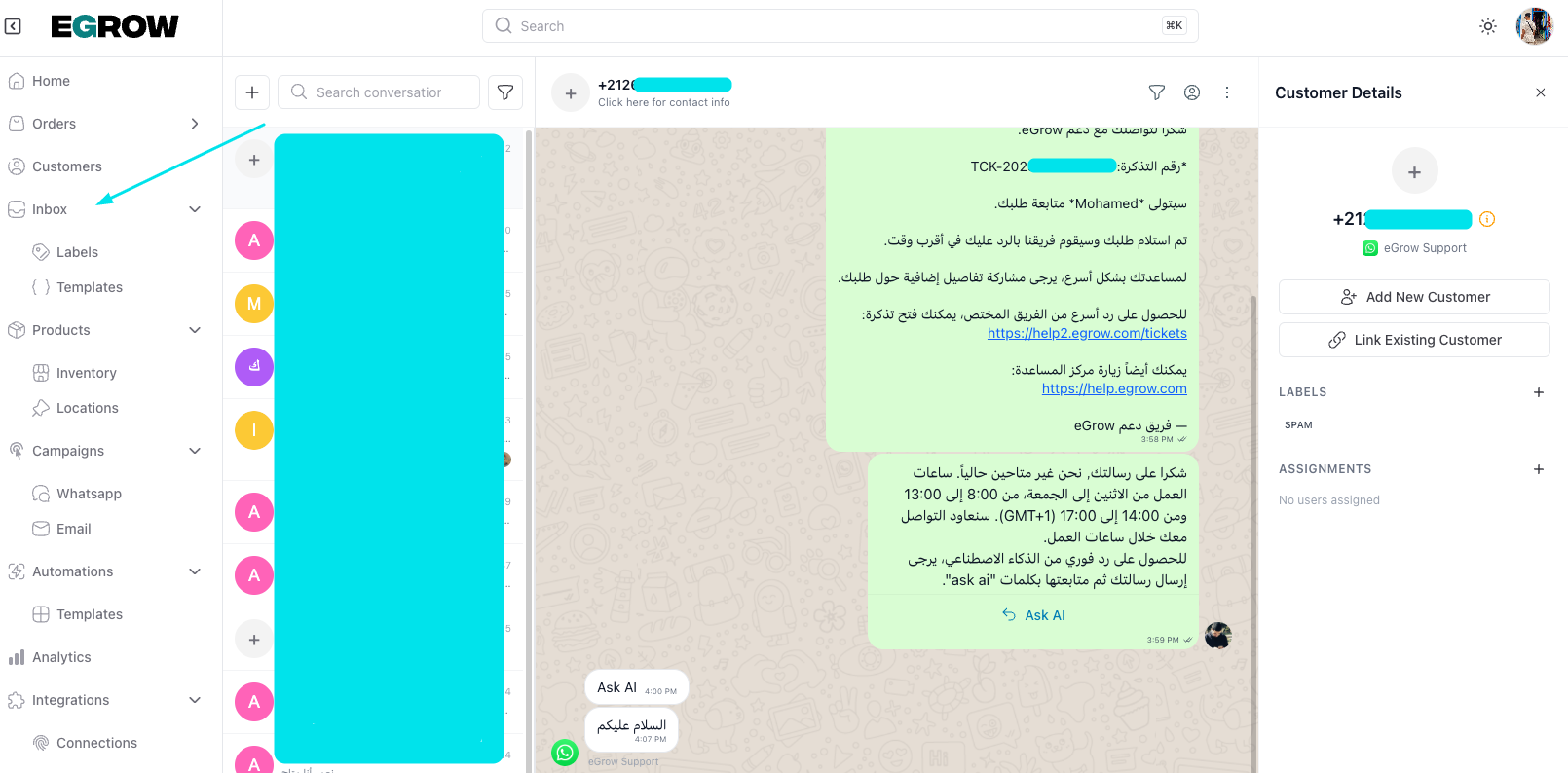
from the home page go to inbox on the left side, you can find your contacts and start a conversation with them
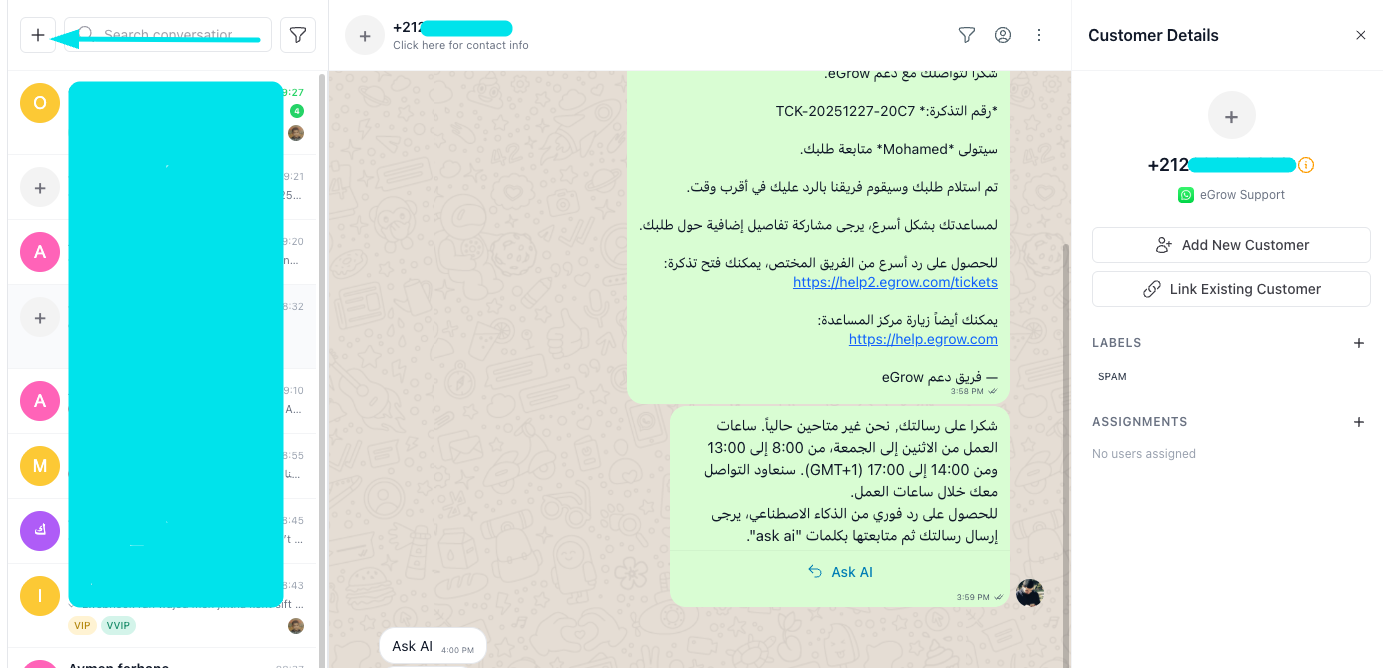
to start a new conversation click on the plus button 
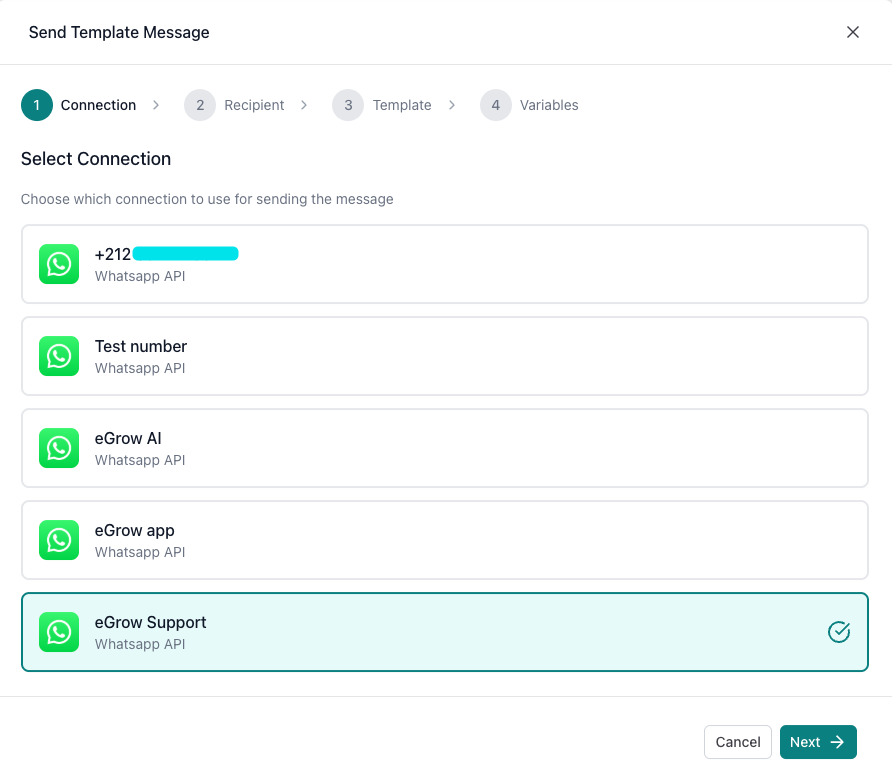
choose the number you want to send the message from
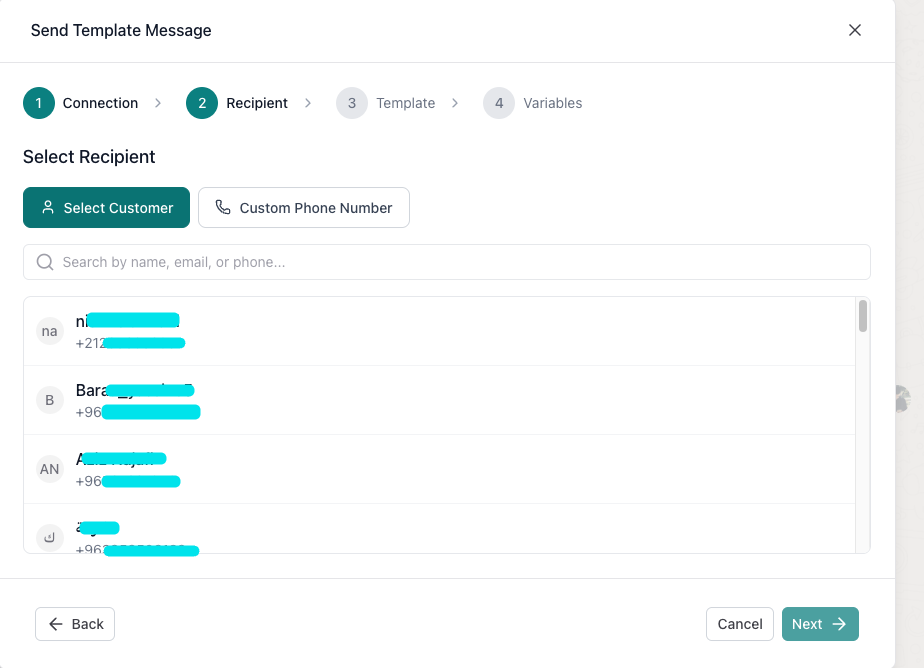
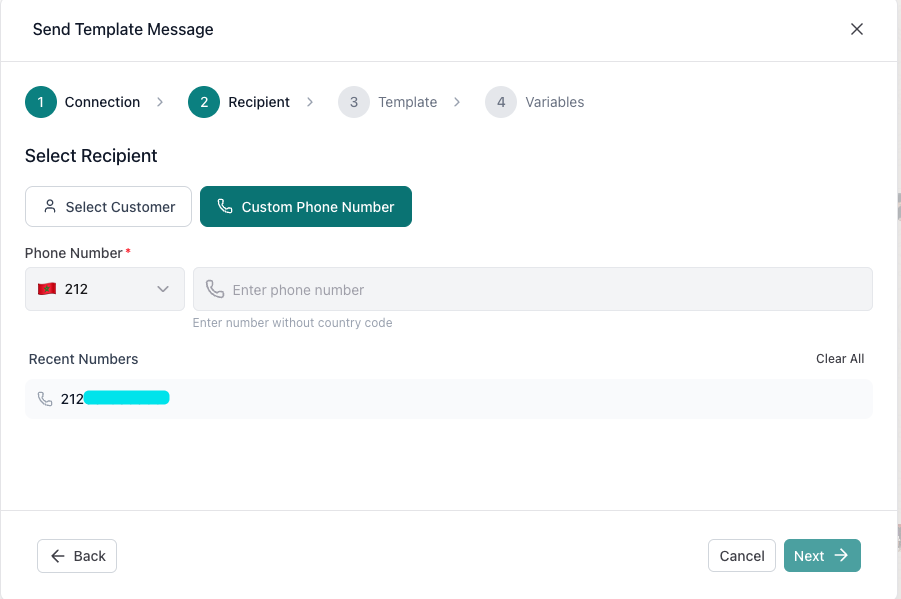
select the recipient or add it manually from the costum phone number section
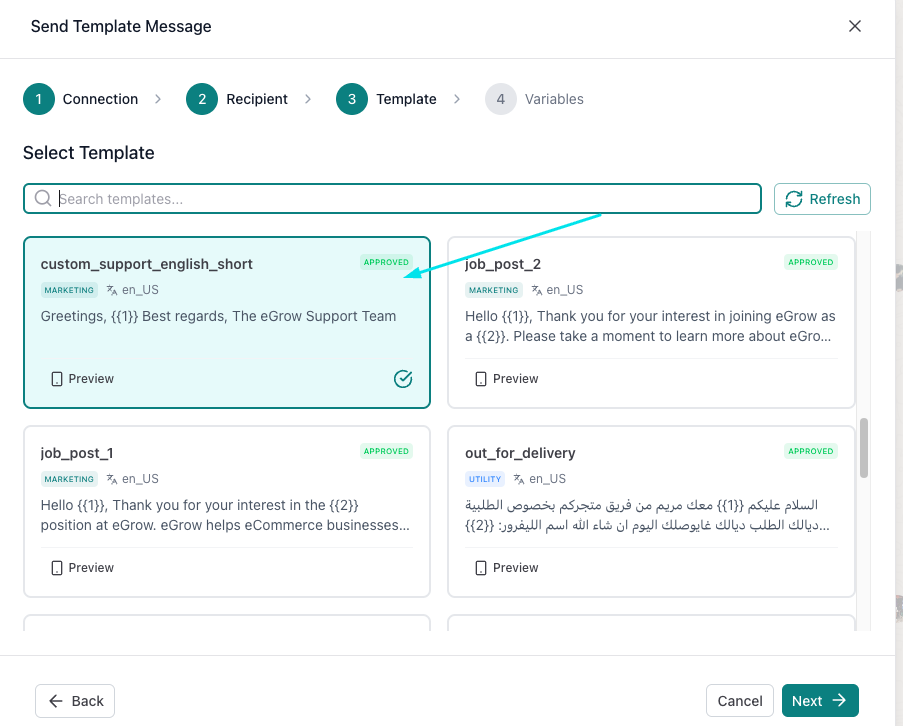
choose the template message you want to send
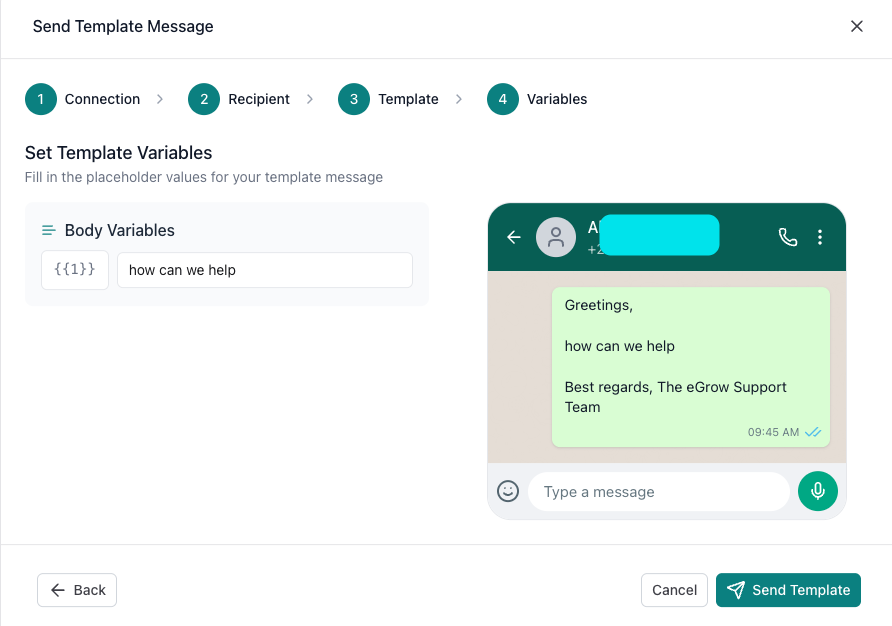
you can modify the variables if there's any then press send template
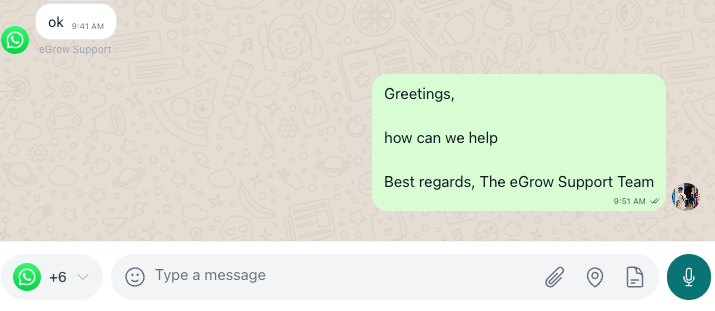
congrats, message sent succesfully
Was this article helpful?

Related Articles

Can't find what you're looking for?

Our support team is here to help. Submit a ticket and we'll get back to you as soon as possible.

Contact Support
Need Help?